Ask people a question
A survey in CoVince is a few questions with a link: people answer one question at a time, and the results page counts it up, exports it and can summarise it. Next to it sit Decision (a proposal people vote on) and Date poll (which day suits).
Competence - find out what people know and think - 6 min. You need: a journey
Nothing is sent until you share the link. Reading this page changes nothing.
What you will be able to do
- Make a survey A title and one question is enough.
- Choose who may answer Your journey, everyone at work, or anyone.
- Share it Send the link, or mail the journey.
- Read the answers All answers counted up for you.
Get this ready first
- A journey The survey belongs to a journey. Its people can answer.
- Your question Write down what you want to find out, and from whom.
Do it together, one step at a time
Seven steps: four to make it, one to share it, two to see the answers.
Press the + in your journey
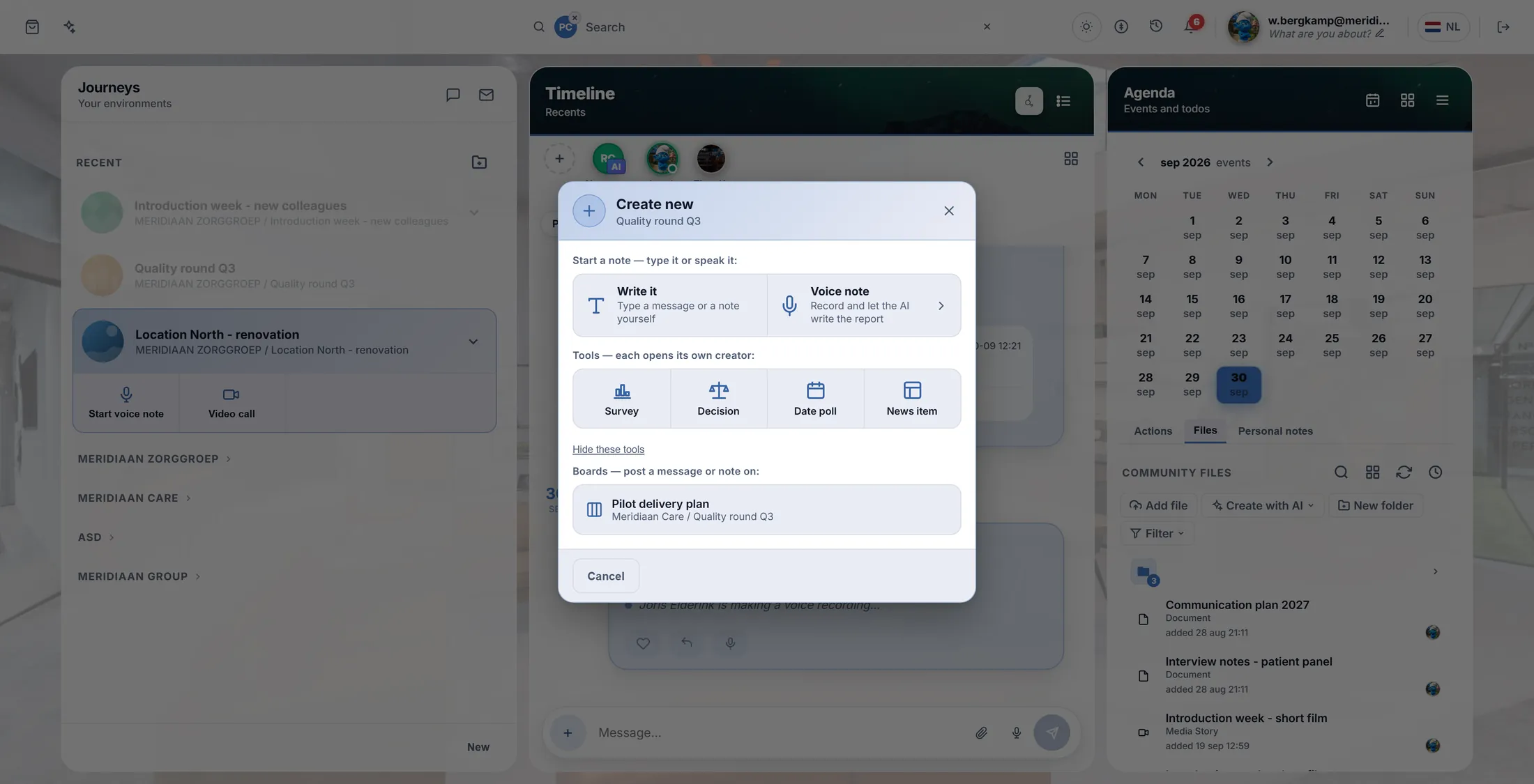
Click your journey, then the round + at the bottom of the middle. Pick Survey.
- In the left column, click your journey, for example Quality round Q3 .
- Press the round blue + at the bottom right of the middle column, next to the message box.
- A window opens: Create new . Under Tools , press Survey.
Survey is the first tool. Give it a title
Say in a few words what you want to know.
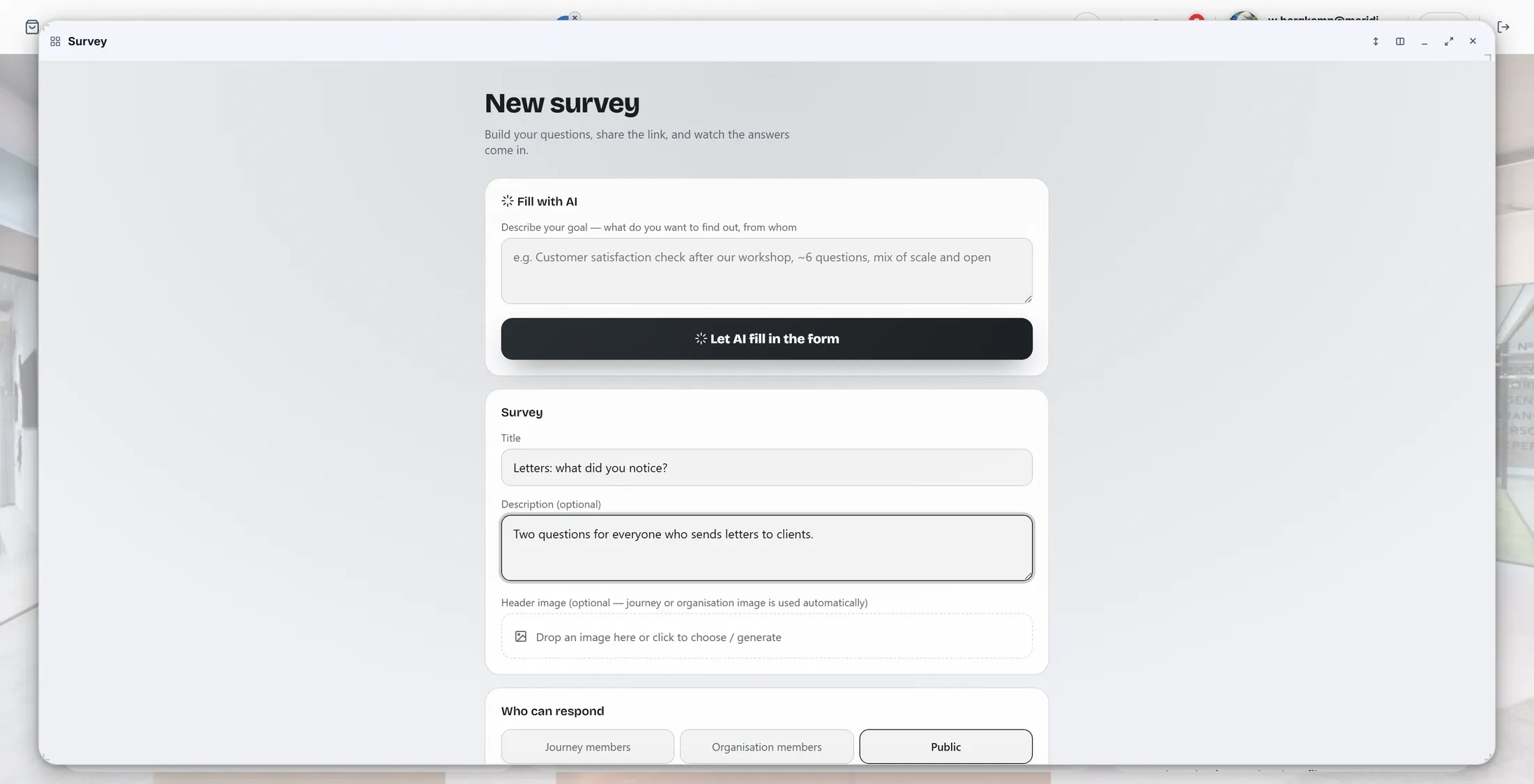
- The page New survey opens in a window.
- Under Title , type the title, for example Letters: what did you notice? .
- Under Description (optional) , one line about who it is for.
- Want help? At the top, Fill with AI : describe your goal and press Let AI fill in the form. It writes the questions for you; you change them after.
The title and one line of explanation. Choose who may answer
Your journey, everyone at work, or anyone with the link.
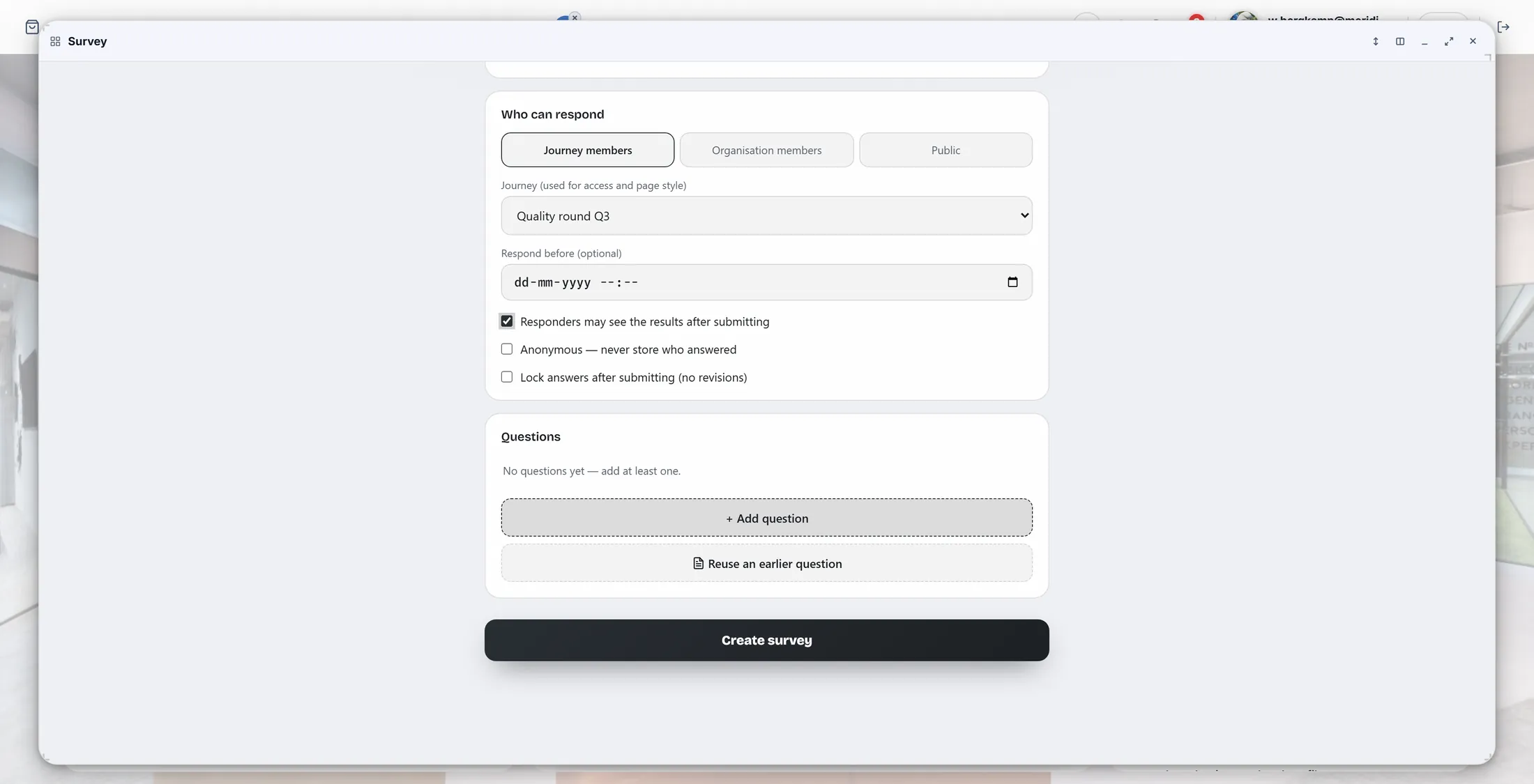
- Under Who can respond , press one: Journey members (the people of your journey), Organisation members, or Public (anyone with the link).
- Check that Journey shows your journey.
- Respond before (optional) : a last day, if you want one.
- Tick what you want: Responders may see the results after submitting , Anonymous - never store who answered , Lock answers after submitting .
Only the people of the journey may answer here. Add your questions
Press Add question. Type the question and the answers.
- Press + Add question.
- Choose the kind at the top of the question: Multiple choice (one answer) , Multi select (several answers) , Image choice , Scale 1-5 , NPS 0-10 or Open text .
- Type the question, for example How often do you rewrite a standard letter by hand? .
- Type the answers in Answer option 1 , 2 , ... ; + Add option gives one more. Tick Required if everyone must answer it.
- Next question? + Add question again. Reuse an earlier question takes one from a survey you made before.
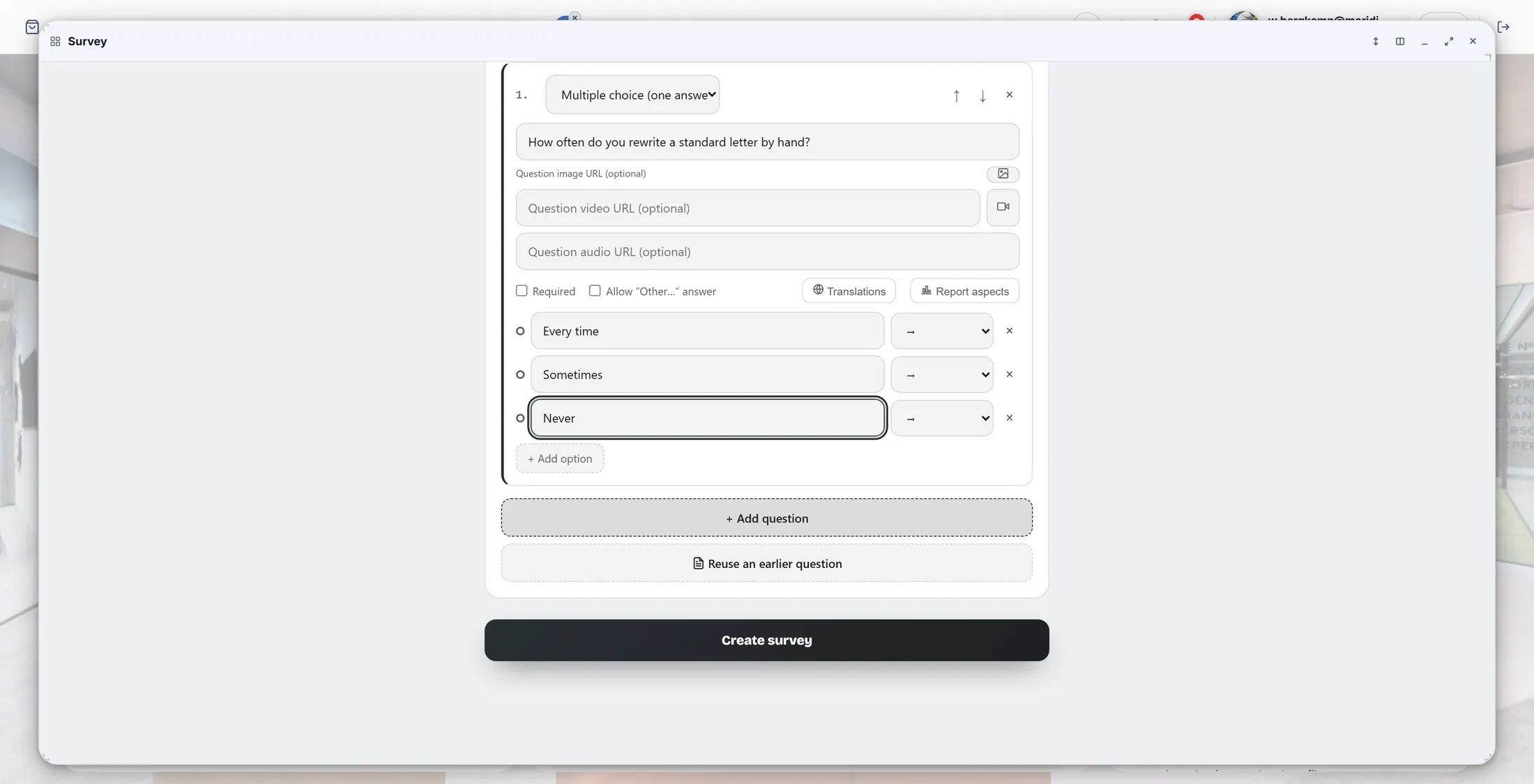
One question, three answers. Make it and share it
Press Create survey. Then send the link, or mail everyone in the journey.
- Press Create survey. You see Your survey is ready with the link.
- Copy link puts the link on your clipboard, to paste in a message. Open survey opens the survey page.
- On the survey page you see Start, and the buttons for you as the maker: Edit, View results, Mail journey members, Close survey and Delete.
- Press Mail journey members to send everyone in the journey a mail with the link.
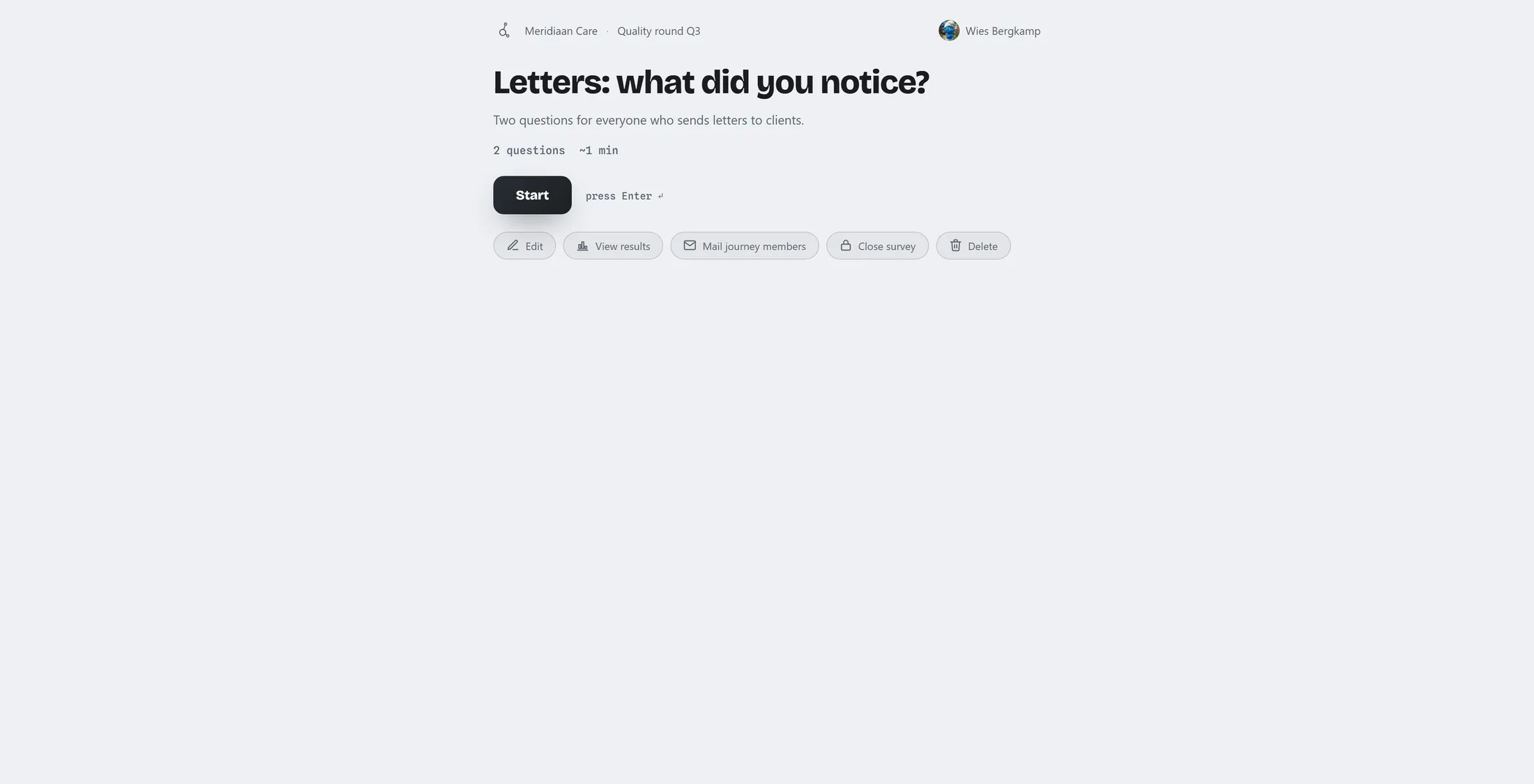
Your survey. The buttons below are only for you. What people see
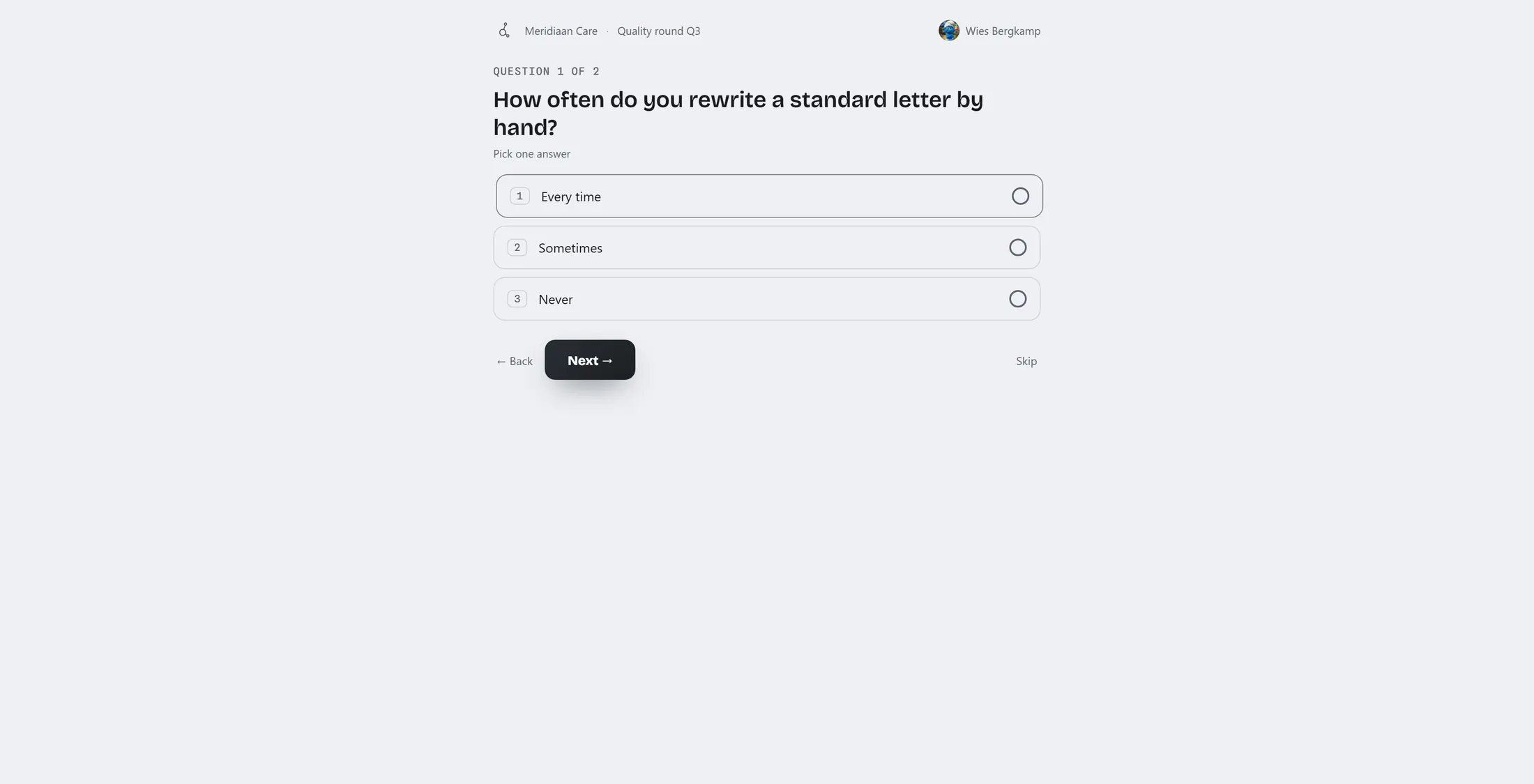
One question at a time. Tap an answer, then Next.
- They open the link and press Start.
- At the top: Question 1 of 2 . Under it the question and the answers, numbered.
- They tap an answer (or press its number on the keyboard) and go on with Next. Skip leaves a question open, unless it is required.
- At the end they press Send answers and see Thank you!
One question, big buttons. Read the answers
All answers, counted per question.
- On the survey page, press View results.
- At the top: how many Responses , how many Questions , and the Last response .
- Under it, every question with its answers counted up. Until someone answers it says No answers yet.
- The buttons: Export Excel and Export CSV (a file), AI summary (what stands out), Duplicate (the same survey again next quarter), Remind non-responders (a mail to who has not answered yet).
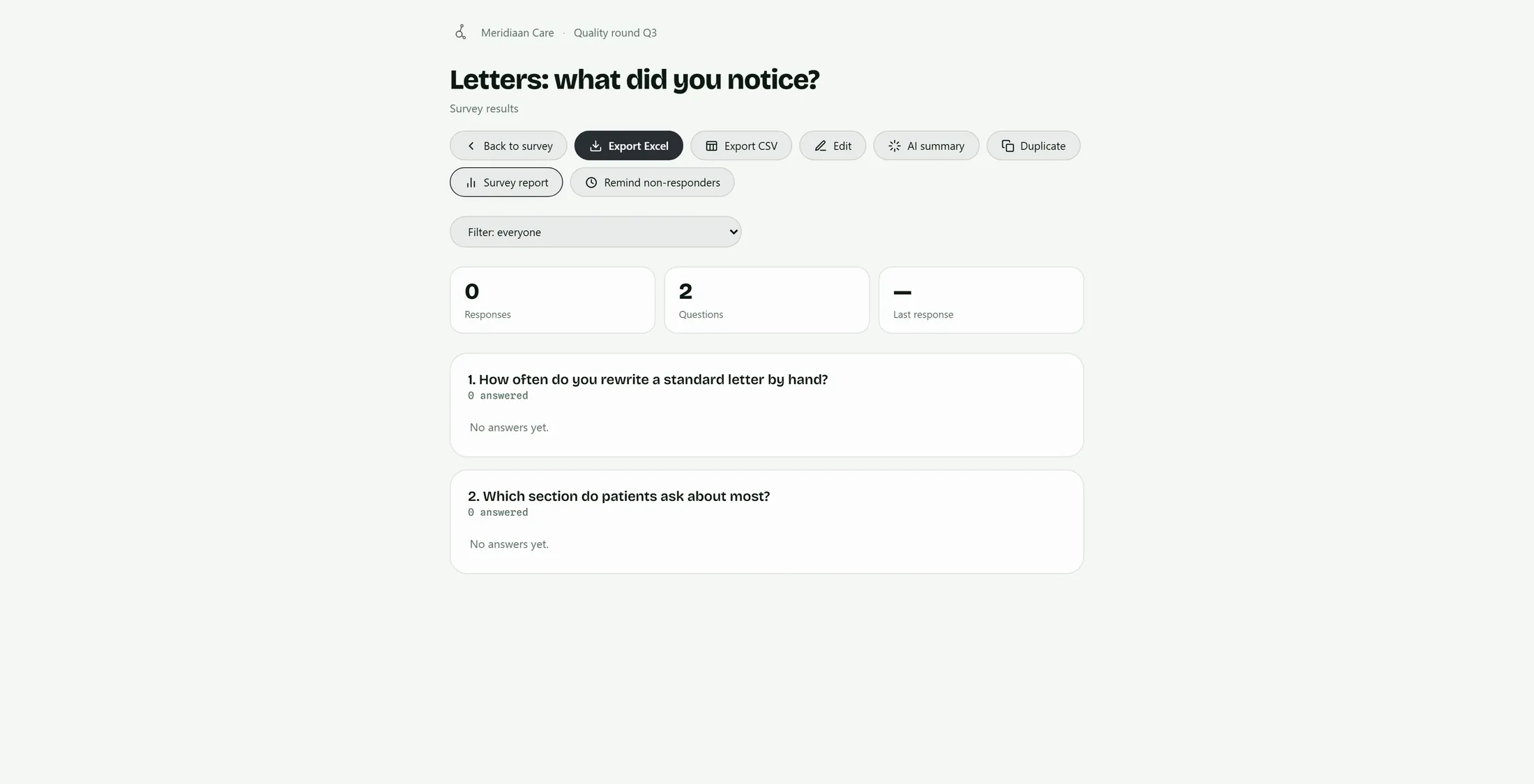
The answers come in here. This one has none yet.
If something is not right
I do not see Survey after the +.
Press Show tools under the notes. Or try another journey.
People say they cannot open it.
Check Who can respond. Journey members means only your journey.
Can I see who answered what?
Yes, unless you ticked Anonymous.
I want people to vote, not fill in a form.
Use Decision, next to Survey.
The words, in plain language
- survey
- A few questions with a link; the answers are counted up for you.
- respondent
- Someone who answers the survey.
- decision
- One proposal that people discuss and vote on, with the outcome written down.
Where to go next
- All explainers The other things you can learn here.