Pick a date together
A date poll proposes a few days and times. You share one link; everybody answers yes, maybe or no per option, and the best day is plain to see. Pick it, and it goes into the journey agenda with a calendar invite for everyone who can come.
Coordination - one day for everybody - 6 min. You need: a login and a few possible days
Nothing is sent until you press Create date poll and share the link. Reading this page changes nothing.
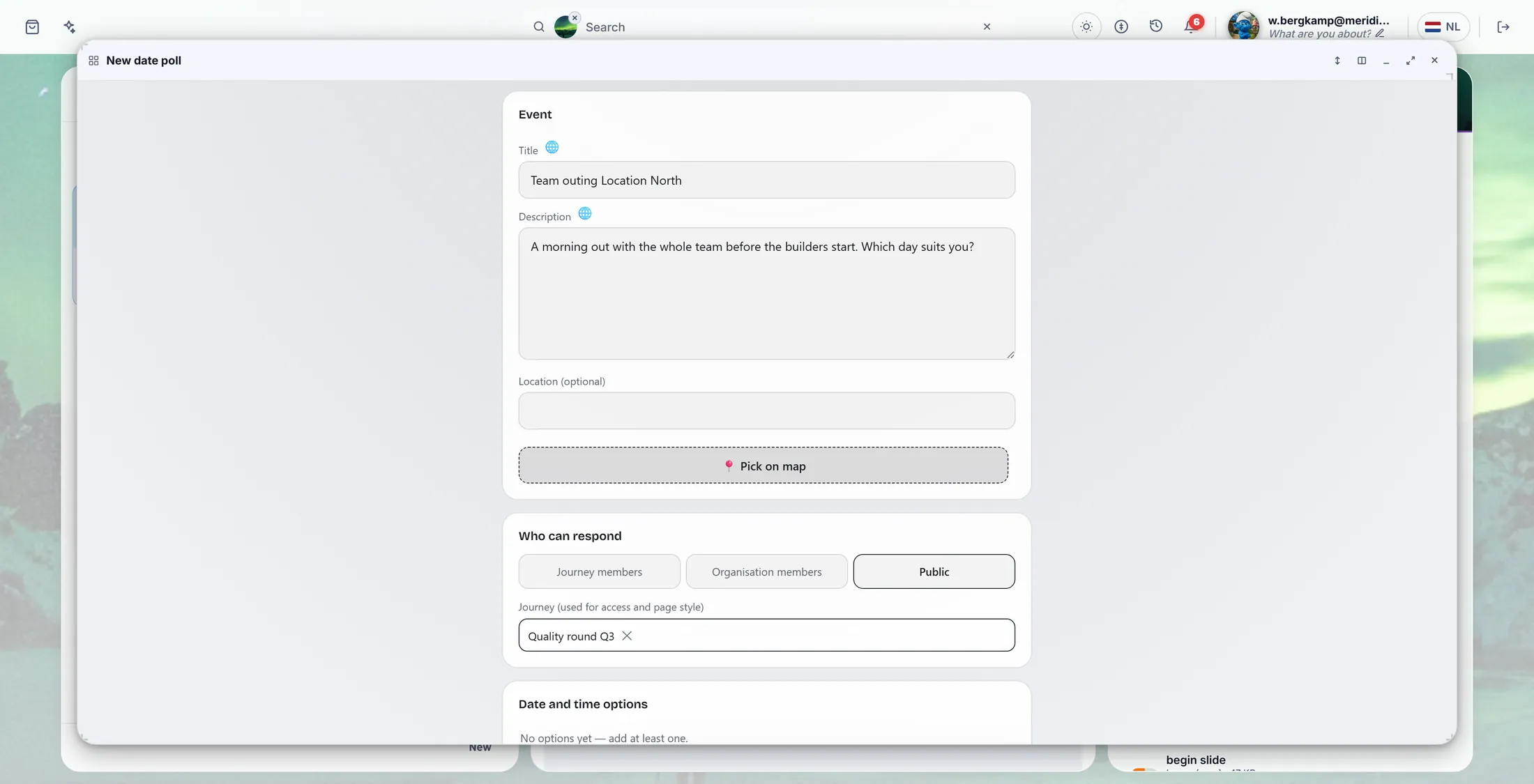
What you will be able to do
- Propose a few days Two, three or ten days with a time.
- Share one link Send it to the group.
- See the best day Everybody ticks. You pick the day.
Get this ready first
- A few possible days For example three mornings next month.
- Your journey (handy) Click it first. Then only its people answer.
Do it together, one step at a time
Seven steps. The last one is when the answers are in.
Open Manage date polls
Date polls live in the Agenda column, behind the button with three lines.
- Open CoVince and click your journey in the left column, for example Introduction week - new colleagues .
- At the top of the Agenda column, press the button with three lines ( My overviews ).
- Press Manage date polls. My date polls opens in the middle.
- Press New date poll at its top right. A window opens: New date poll .
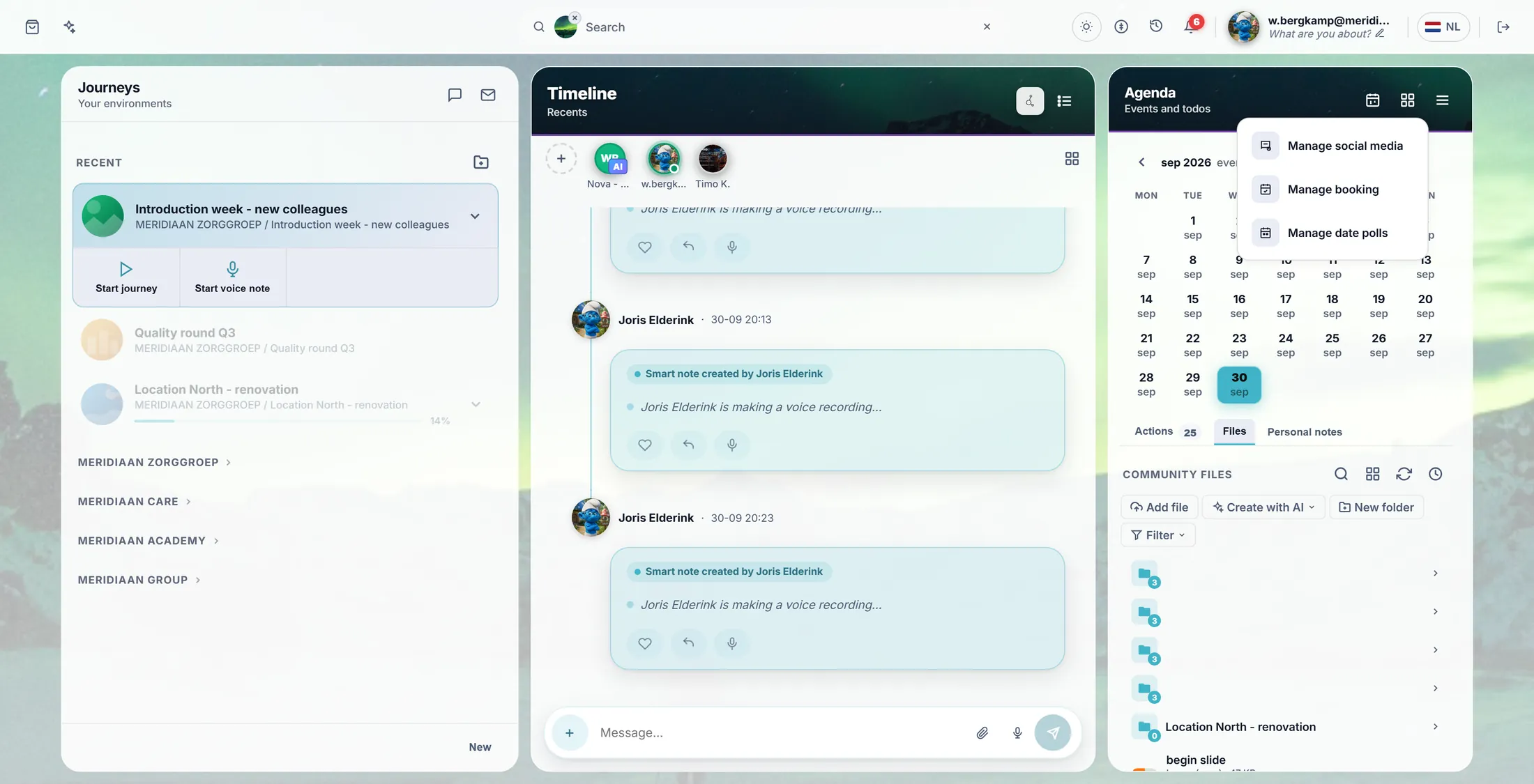
The menu behind the three lines. Give it a name
Press the Title box. A small window opens. Type in the top line, press Save.
- Press the box under Title . A window opens: Translations · Title , one line per language.
- Type in the line with EN , for example Team outing Location North . The other languages may stay empty.
- Press Save in that window. The title is now in the form.
- Do the same for Description : one line about what it is and why.
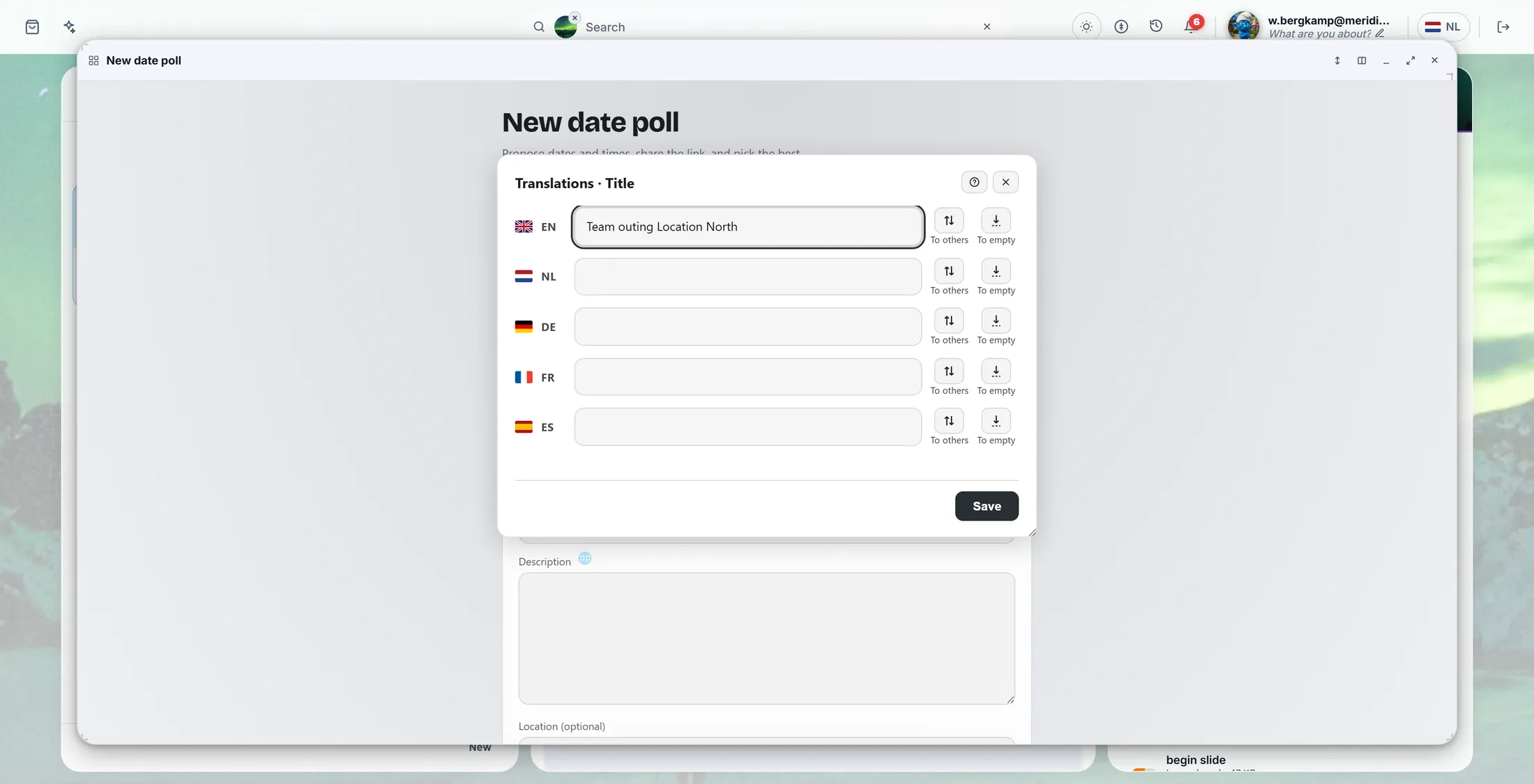
Type in the EN line, then Save. Add the days
Choose a day and a time. Press +. Do that for each day.
- Scroll to Date and time options . At the bottom is a row: Date , Start , End and a +.
- Choose a day, set the start and end time, press +. The option moves up into the list.
- Do it again for the next day. Three to five options work well.
- Many days at once? Press Pick multiple dates, tick the days in the calendar, and add them all.
- A wrong one? Press the x at the end of its row.
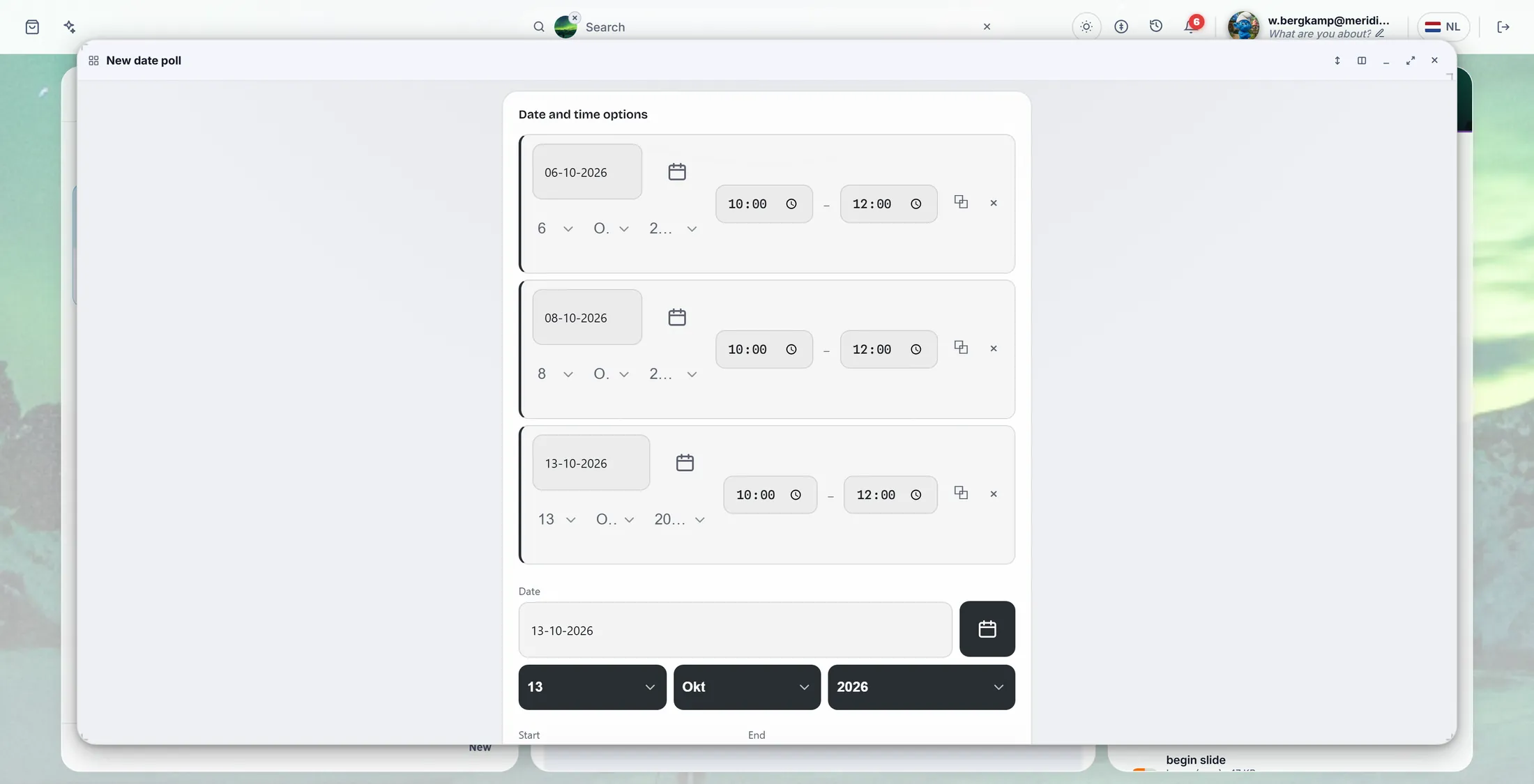
Three mornings in October. Who may answer
Only your journey, your whole organisation, or anyone with the link.
- Under Who can respond , press one of three:
- Journey members: only the people in the journey. Best for a team.
- Organisation members: everybody in your organisation. Public: anybody with the link, also people without CoVince.
- Journey shows the journey you clicked on the first screen. The poll page takes its look from it.
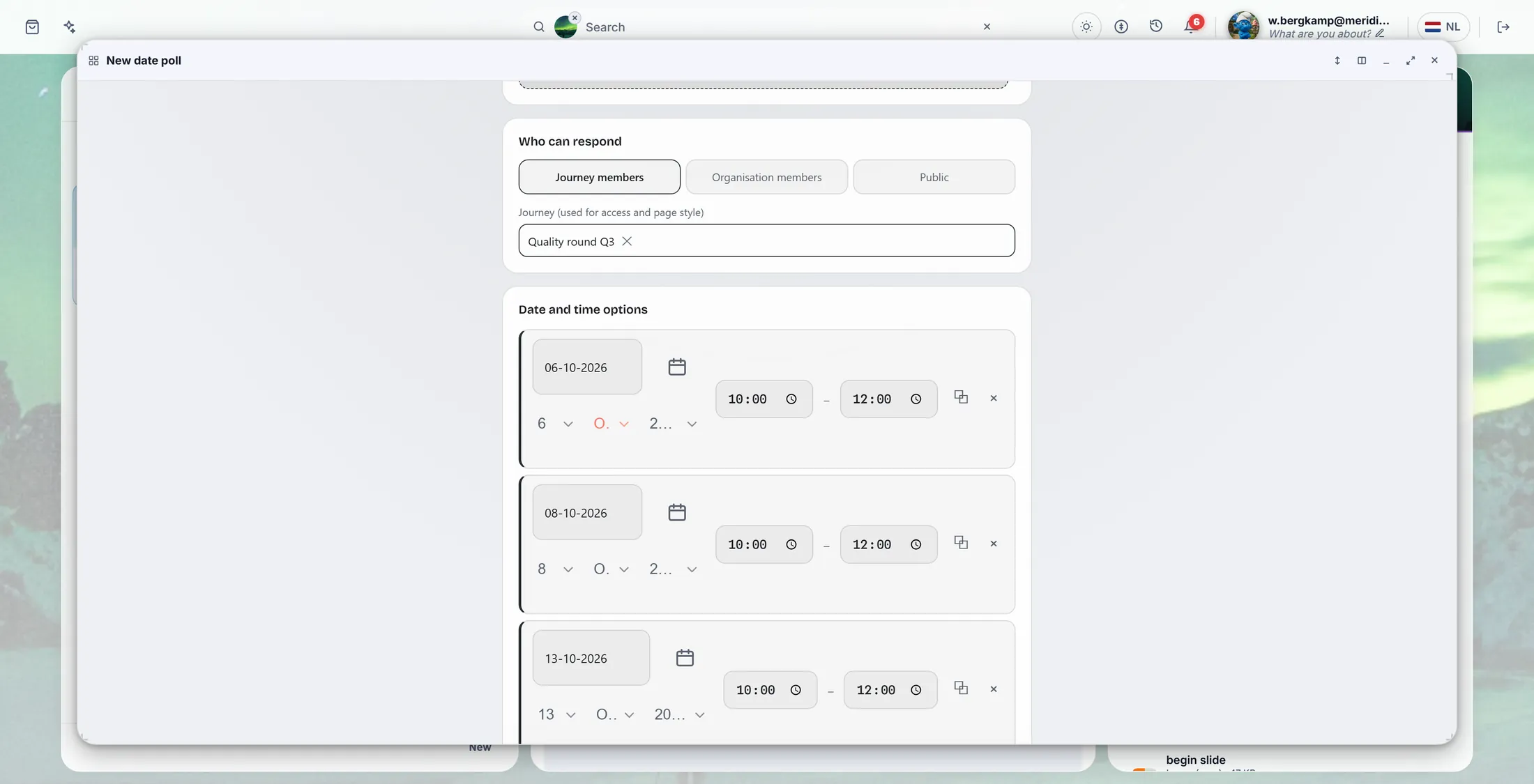
Only the people of the journey. Press Create date poll
At the bottom: a last day to answer, maybe allowed, then Create.
- Scroll to the bottom. Pictures, video and colour in Appearance & settings are all not needed.
- Respond before (not needed): the last day people can answer.
- Allow 'maybe' answers is ticked: people can say yes, maybe or no.
- Press Create date poll.
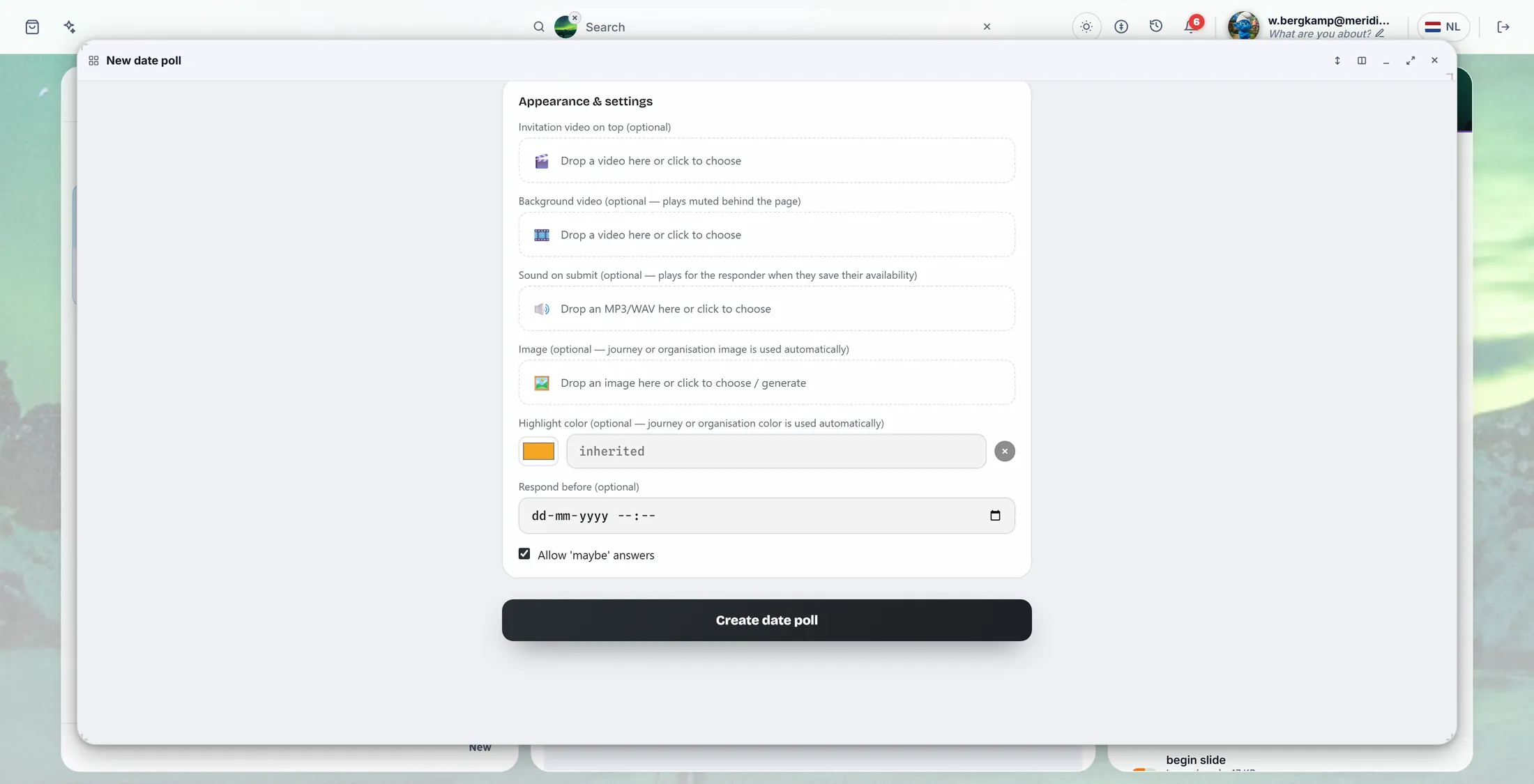
The big button at the bottom. Send it to the group
Copy the link, or mail everybody in the journey at once.
- The window now says Your date poll is ready .
- Mail all journey members: everybody in the journey gets a mail with the link. Shown when the poll belongs to a journey.
- Or Copy link and paste it in a chat or a mail yourself. Open mail app starts a mail with the link in it.
- Open page shows the poll the way the others see it.
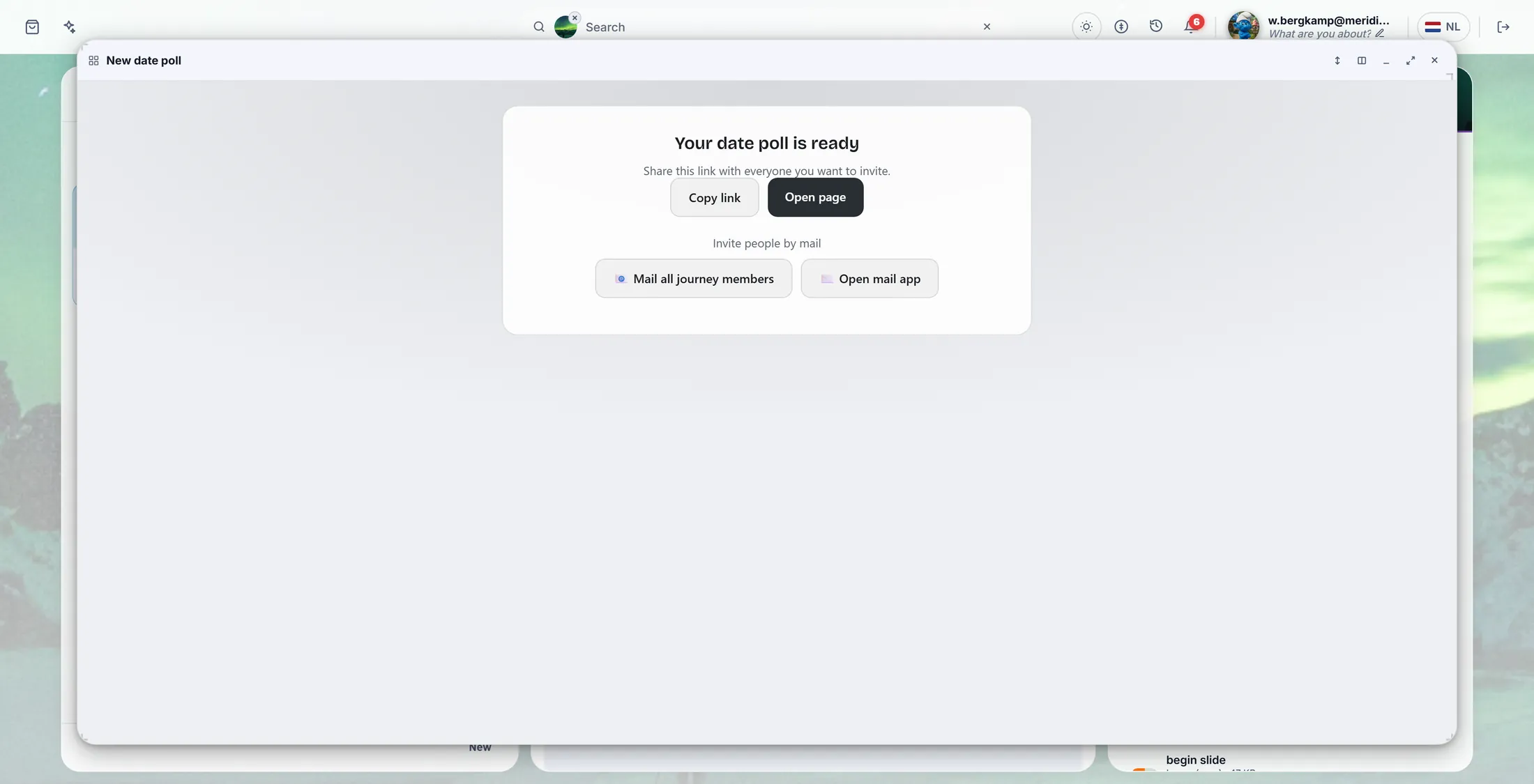
Send the link. Done. Everybody ticks, you pick
People say yes, maybe or no per day. You pick the best one.
- The others open the link. Under Your availability they press Yes , Maybe or No per day, and Save my availability.
- You open Manage date polls and press your poll. Availability counts the answers per day; the best one says leads .
- Waiting for someone? The page names them under Still waiting on: and offers to send them a reminder.
- Press Pick next to the winning day, then Confirm? to be sure.
- The page now says This event has been scheduled: . The day goes into the journey agenda, and everybody who said yes or maybe gets a calendar invite by mail.
If something is not right
I type in the Title box and a window opens.
That is right. Type in the EN line and press Save.
Create does nothing.
Read the red line above the button. Often the title or a day is missing.
Someone cannot open the poll.
Is it on Journey members? Then they must be in the journey.
Can I change the poll later?
Yes. Open it and press Manage.
The words, in plain language
- date poll
- A short list of possible days that a group answers, so the day that suits most people is easy to see.
- option
- One possible day and time in the poll, for example Tuesday 6 October from 10:00 to 12:00.
- Journey members
- The people in the journey (CoVince calls a journey a journey).
Where to go next
- All explainers The other things you can learn here.