Add people
Invite colleagues to one journey from the dashboard - one address or fifty at once, with a personal message and in their own language. Admins also add people to the whole organisation, and change or remove their role, in the Editor.
Community - the people of your journey - 5 min. You need: a journey, and the mail addresses
Nothing is sent until you press Invite. Reading this page changes nothing.
What you will be able to do
- Invite one person Type a mail address, press Invite.
- Invite many at once Paste a list of addresses.
- Give the right role Normal user, or someone who may manage.
- Change or remove later Admins change roles and remove people.
Get this ready first
- A journey People are always invited to a journey. No journey yet? Make one first.
- Their mail addresses Work addresses are best.
Do it together, one step at a time
Seven steps. The last one is only for admins.
Pick your journey
You always invite people to a journey. Click it first.
- Open CoVince. The left column is called Journeys - those are your journeys.
- Click the journey, for example Introduction week - new colleagues .
- The middle column now shows that journey, with a row of faces at the top: the people in it.
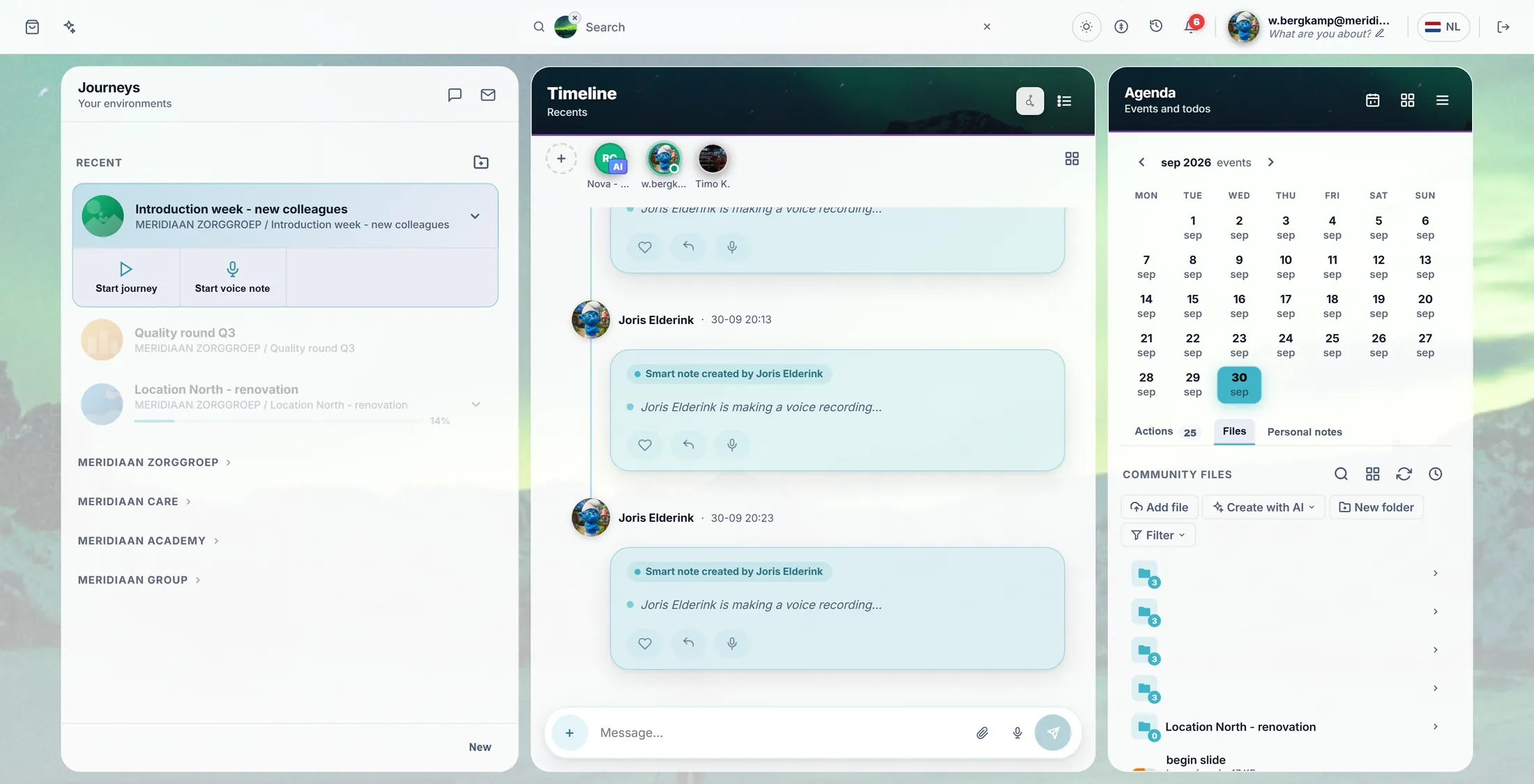
The faces at the top are the people in the journey. Press the +
Before the row of faces is a round + button. That opens the invite window.
- Look at the row of faces at the top of the middle column.
- Press the round + button in front of the first face. Its label is Invite somebody .
- A window opens: Invite to "Introduction week" .
The invite window. Type the mail addresses
One address, or a whole list. Put a ; between them.
- Click in the box Email addresses .
- Type an address, for example j.elderink@meridiaanzorg.example .
- More people? Type ; and the next address. Or paste a whole column from a spreadsheet - one address per line works too.
- Somebody already in the journey? The window says so under the box. Inviting again only sends another mail.
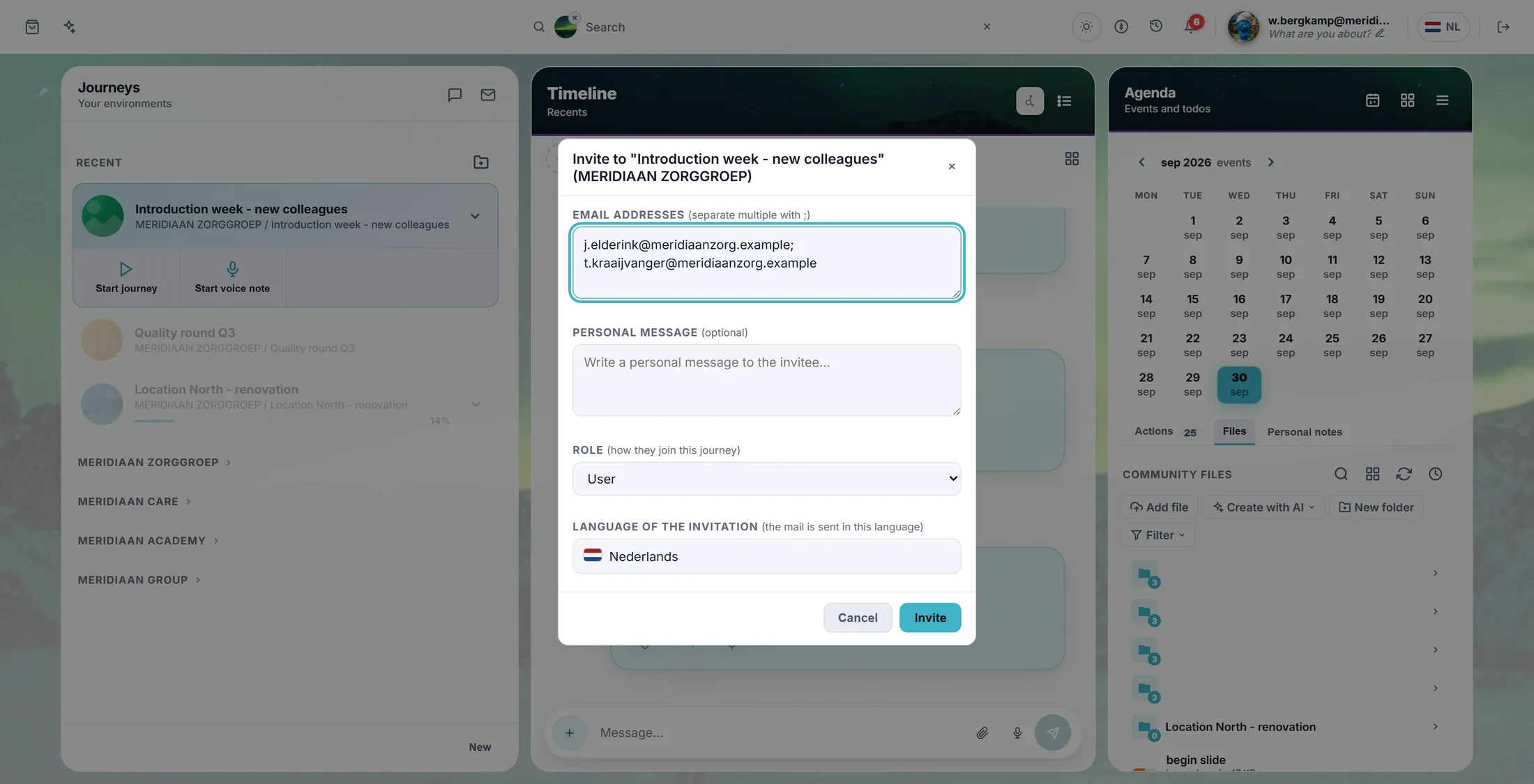
Two people, one ; in between. A message, a role, a language
Three small choices. All three may stay as they are.
- Personal message (not needed): a line of welcome. It goes into the mail.
- Role : how they join the journey. User is right for almost everyone. Only admins see this choice.
- Language of the invitation : the mail is sent in this language. It starts in the journey's language; press it to pick another one.
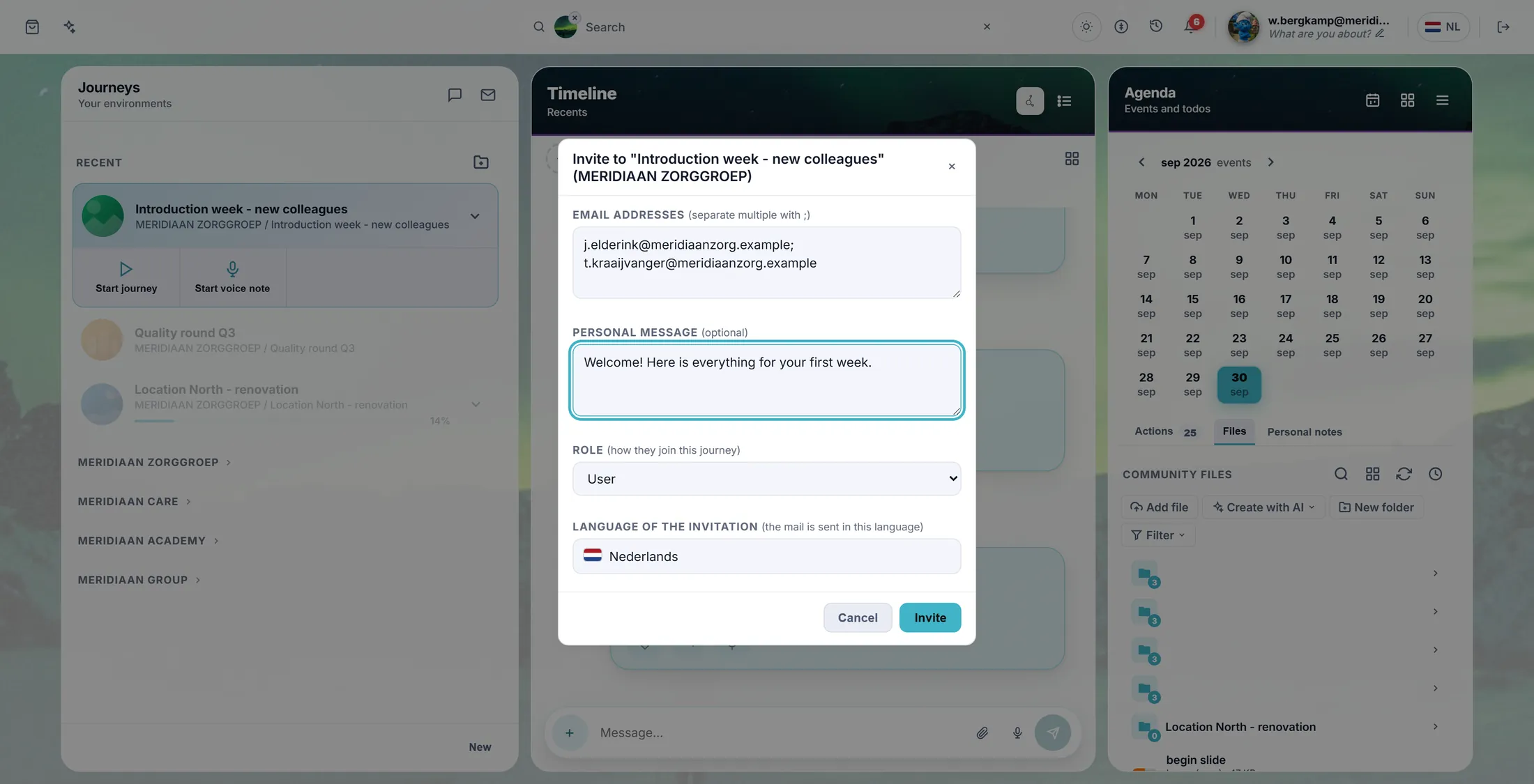
This person is not an admin, so there is no Role box. The message and the language are there. Press Invite
Now the mails go out. The window counts along.
- Press Invite.
- The line above the buttons counts: Inviting 2 of 5 .
- Then: 5 invitations sent . The window closes by itself.
- Did one address fail? The window names it: Could not invite: ... - check that address and try again.
What they get
They get a mail with a button. One click and they are in the journey.
- They get a mail in the language you picked, with your message in it.
- They press the link. Do they have CoVince already? Then the journey opens.
- No account yet? They make one with the same address. Until then they show in the journey as waiting .
- Signed in with a different address? CoVince says so: Signed in with a different email .
For admins: the whole organisation
Admins add people to the whole organisation, and change or remove them.
- Open the Editor. It first asks Select an Organisation : press yours.
- In the list on the left, choose Organisation Users .
- Type one or more addresses in the box, choose a role, press Invite.
- User sees every live journey of the organisation. Restricted user only sees the journeys you give them.
- To change someone: press Edit on their row. Change the role, give a start or end date, or press Remove.
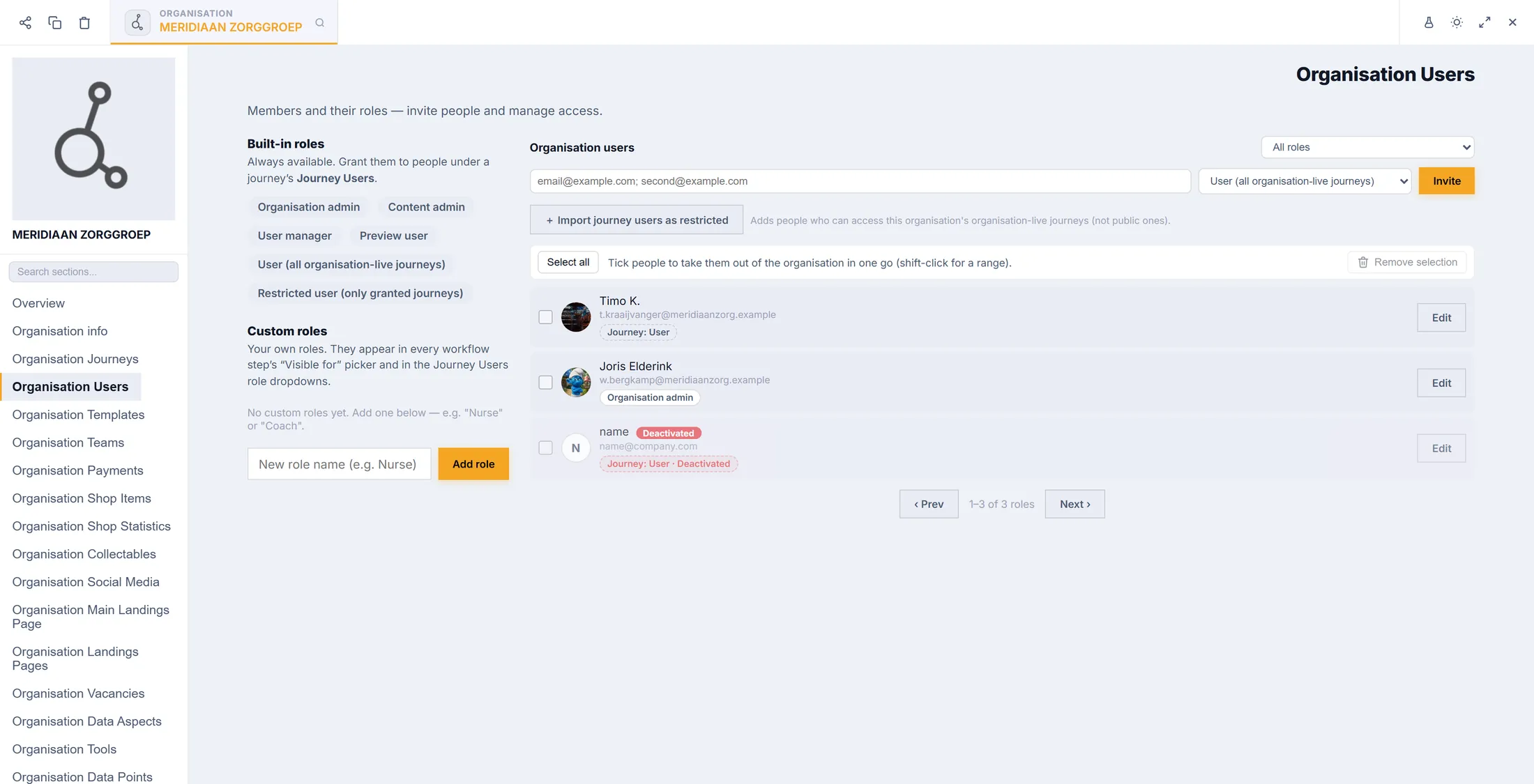
Everyone in the organisation, with their role.
If something is not right
I do not see a +.
You may not invite in this journey. Ask the person who made it.
How do I take someone out?
An admin does that in the Editor: Edit, then Remove.
Can I upload a list?
Copy the list and paste it in the box. That works.
They say the link does not work.
They must log in with the same address you invited.
The words, in plain language
- journey
- What CoVince calls a journey: one goal, with its people, files and plans.
- role
- What someone may do: User takes part, Admin manages, User Manager manages the people.
- restricted user
- Someone in the organisation who only sees the journeys they were given.
Where to go next
- All explainers The other things you can learn here.