Record a production
The Podcast studio records every microphone and camera to its own file, plus one mix of everything, straight into your journey. A guest who is not in the room records on their own phone through a link. Afterwards every recording is searchable - by title and by what was said.
Content - something you make - 8 min. You need: a microphone, and a journey to put it in
Nothing is recorded until you press Start recording. Nothing is sent to anyone.
What you will be able to do
- Record well Each voice in its own file.
- Add a guest They join with a link on their phone.
- Film it too Front and back camera at once.
- Find it back Search what was said.
Get this ready first
- A microphone Plug it in before you open the studio. One for each person is best.
- A journey The recording is kept in a journey. Pick the one it is for.
Do it together, one step at a time
First the studio asks six short questions. Then you record. Then you find it back.
Open the studio
The studio has two parts: a new recording, and the ones you made before.
- Press Open the studio on this page. The studio opens in a panel over your dashboard. You can also go straight to it: type covince.com/podcast in the address bar.
- At the top: New recording . It says: six short questions, and nothing is recorded until the last one.
- Below: Earlier recordings - everything recorded in your journey so far.
- Press New recording to begin.
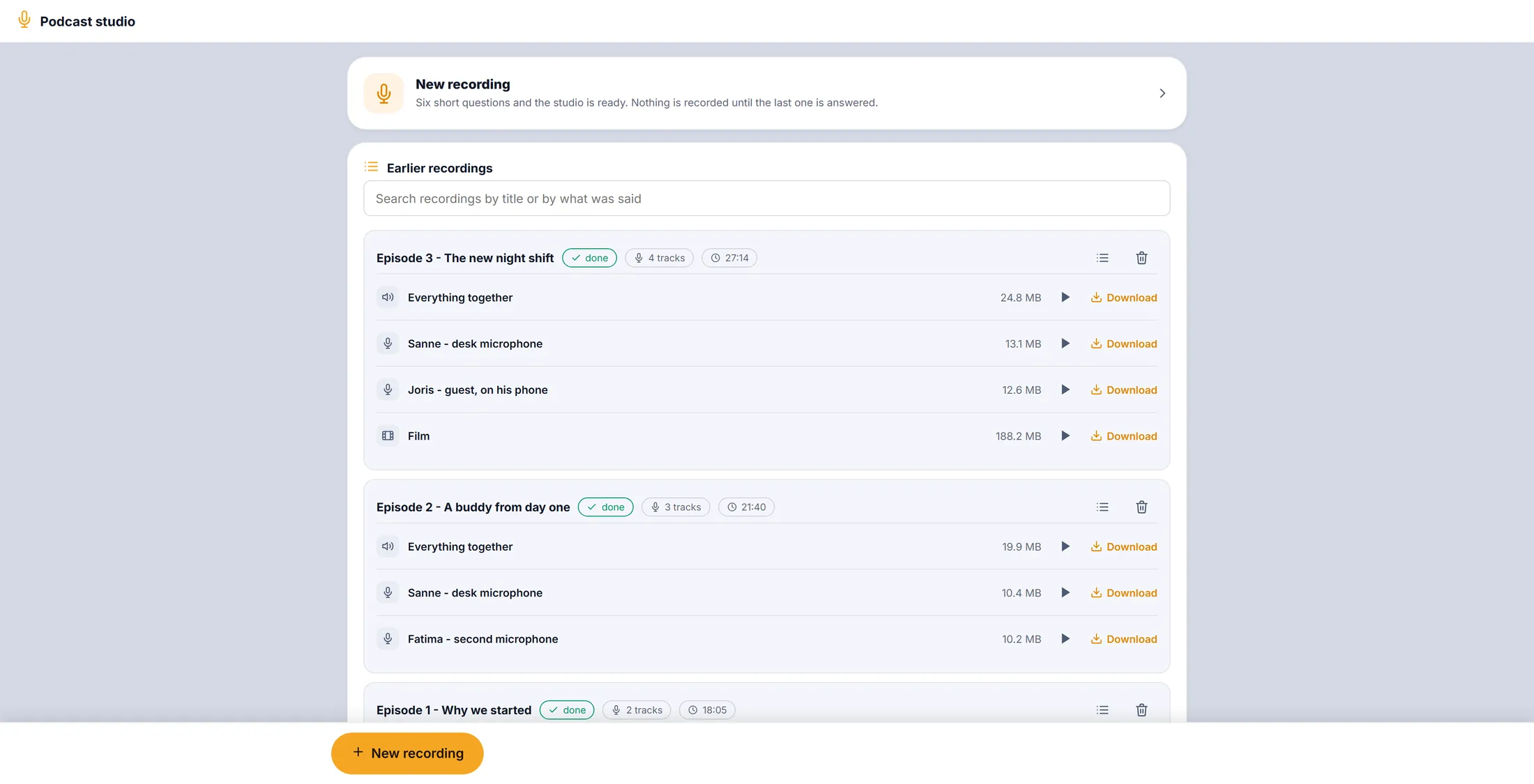
New at the top, earlier ones below. Pick the journey
Choose where the recording is kept.
- Click the box under Which journey is this for?
- Type part of the name in Search journeys... , or click one in the list.
- Press Next.
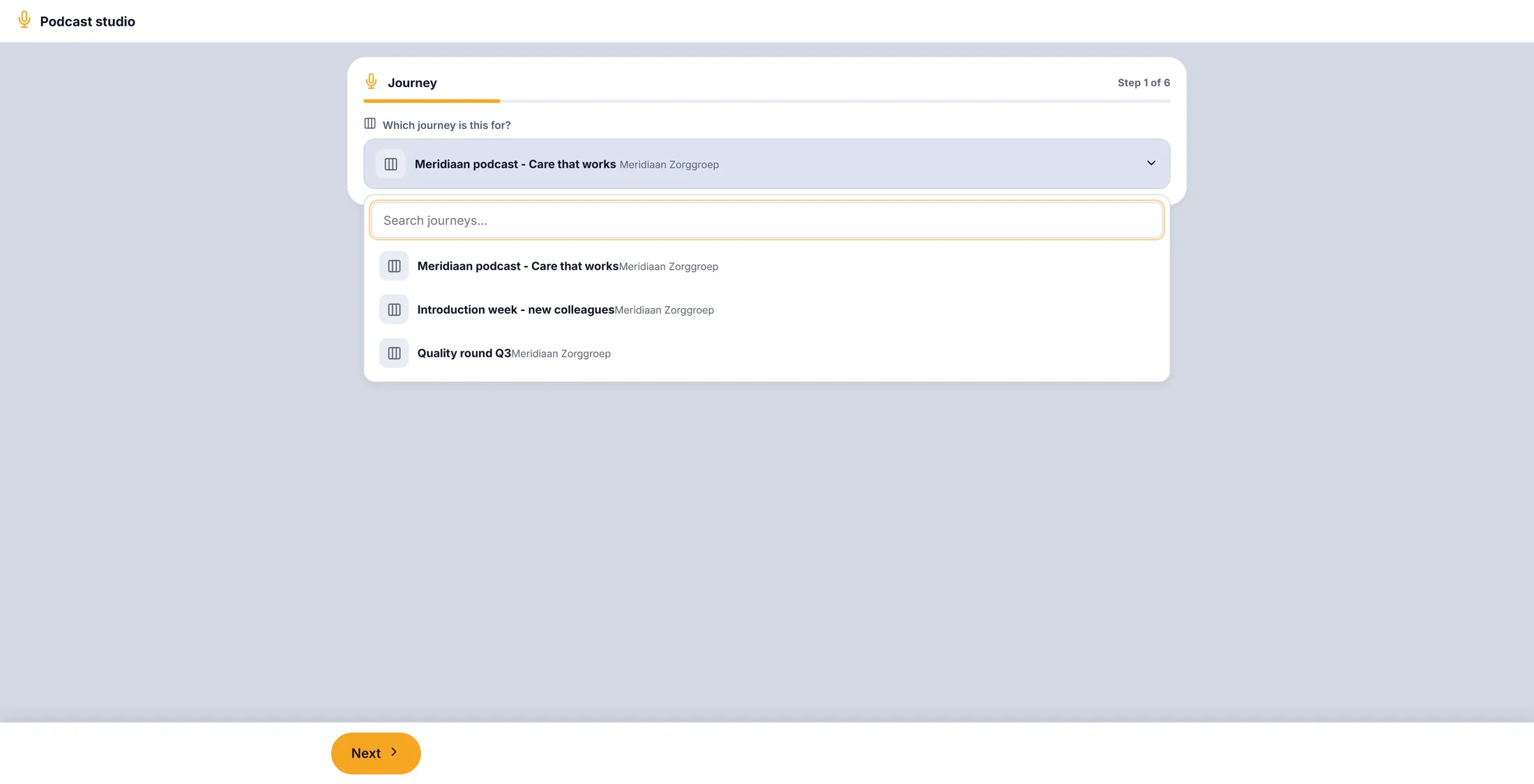
Your journeys, to pick from. Give it a name
The name is how you find it back.
- Type a name under What is this recording called? , for example Episode 4 - Working with CrewMates .
- Press Next.
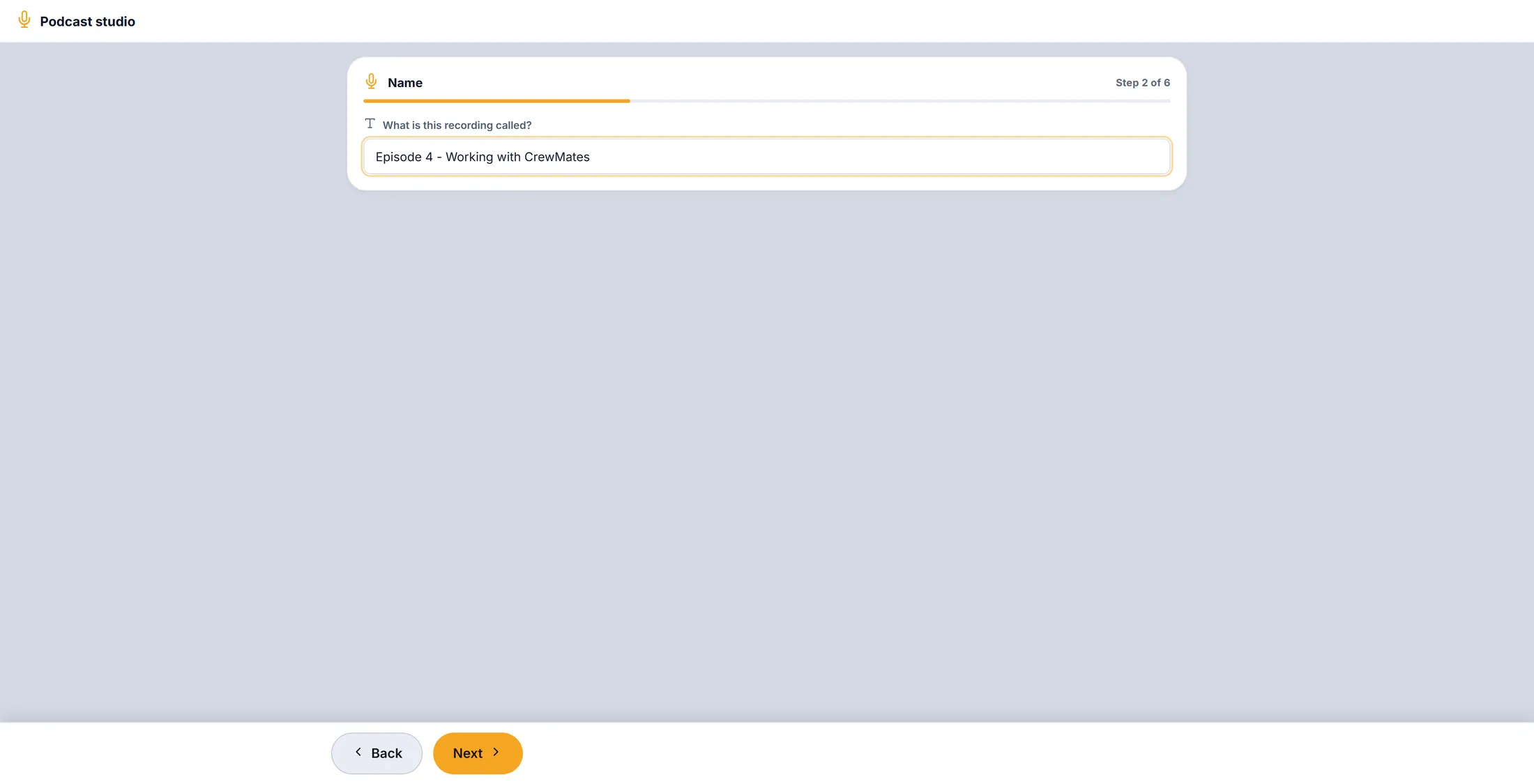
A clear name, so you find it later. Sound only, or film too
Choose if you also want pictures. Then aim the cameras.
- Under Film it as well , choose Sound only or Film .
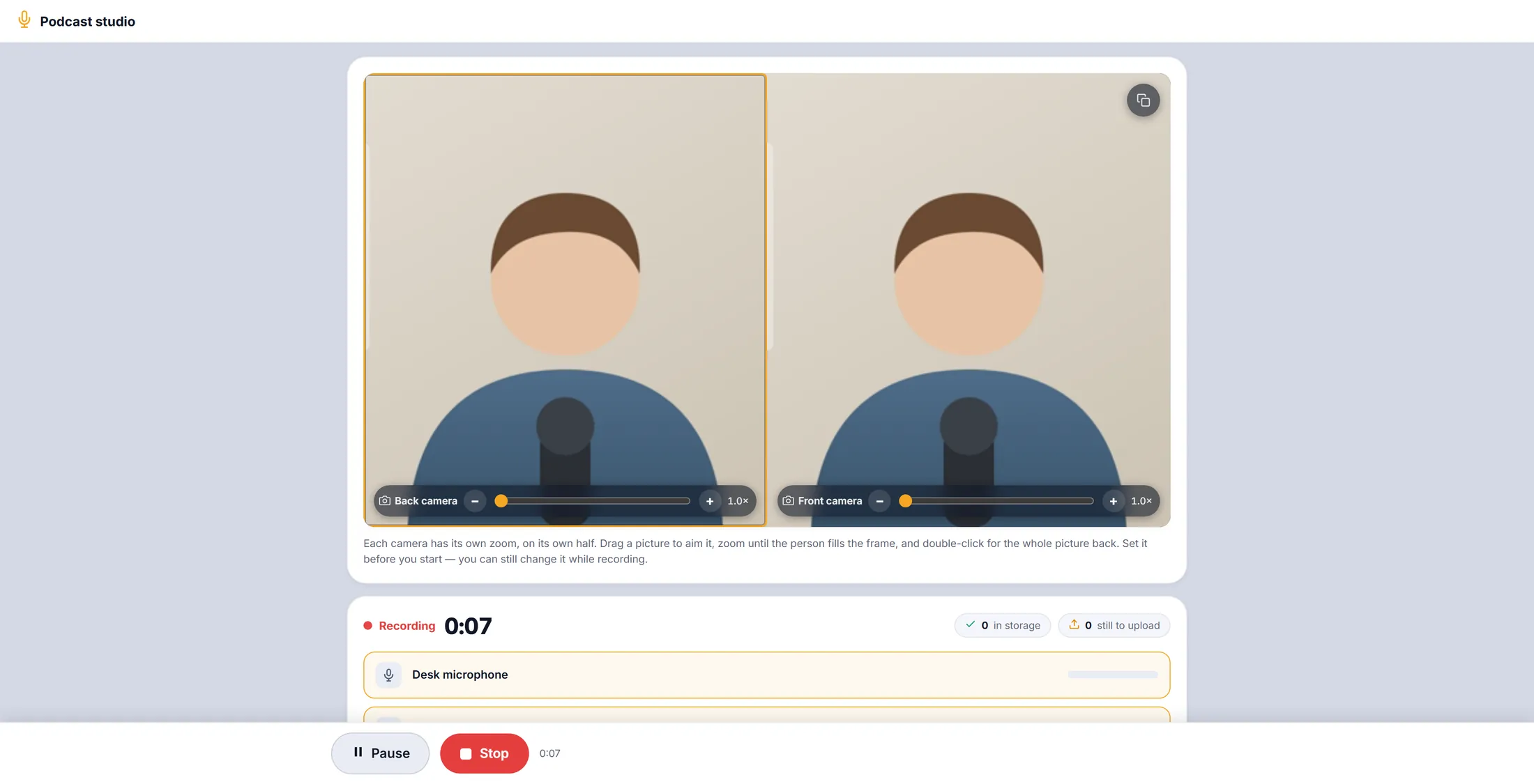
- With Film, the pictures appear at the top: Back camera and Front camera .
- Drag a picture to aim it. Use the slider or + and - to zoom until the person fills the frame. Double-click for the whole picture again.
- Tip from the studio: put the phone on a tripod between you, so front and back camera each see one person.
- Press Next.
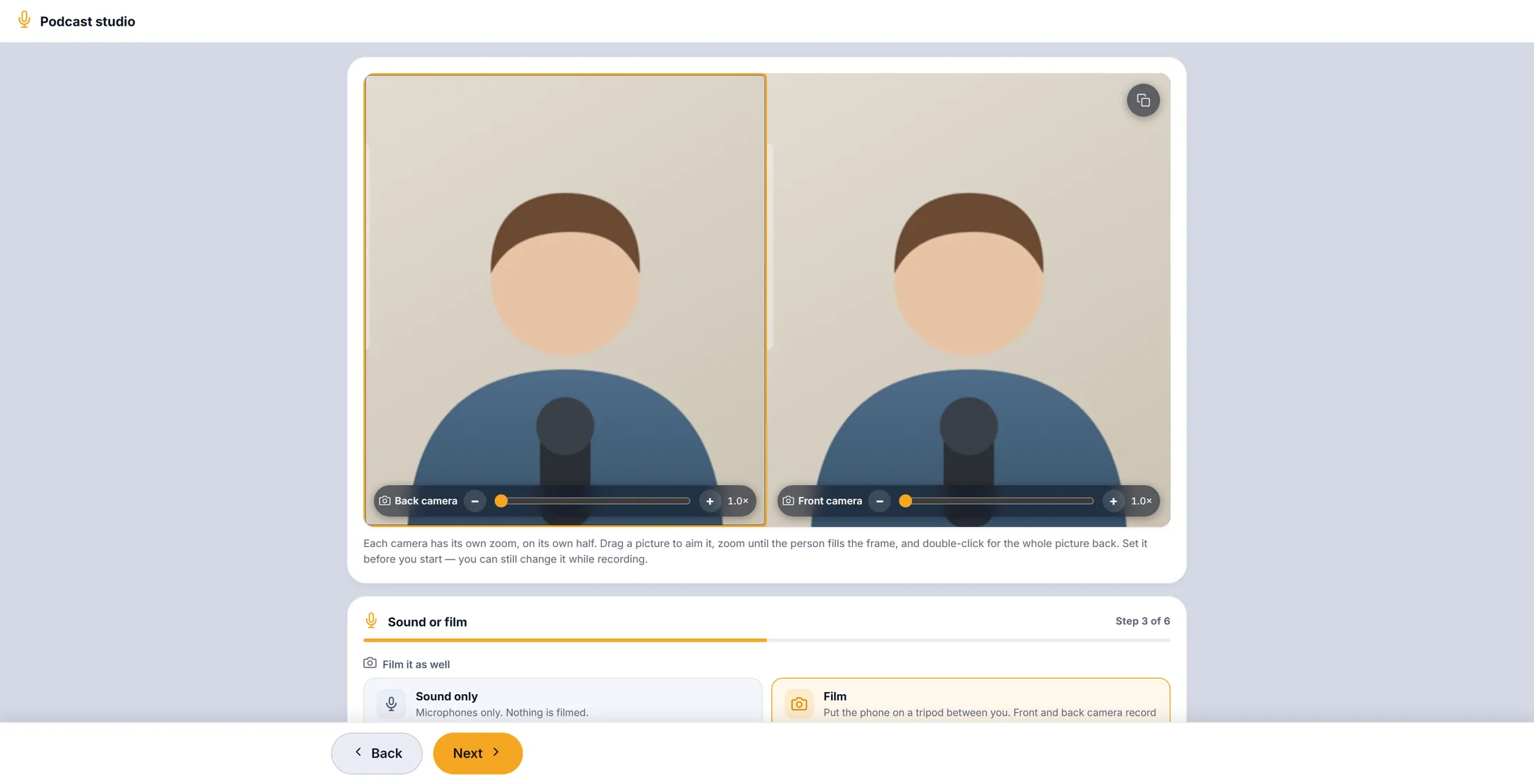
Two cameras, each with its own zoom. Check the microphones
Tick every microphone you use. Talk, and watch its bar move.
- Tick each microphone that is used, for example Desk microphone and Second microphone .
- Say something into each one. Its bar on the right must move. A line under the name says nothing coming in when it hears nothing.
- A microphone missing? Plug it in and press Refresh the list.
- Press Next.
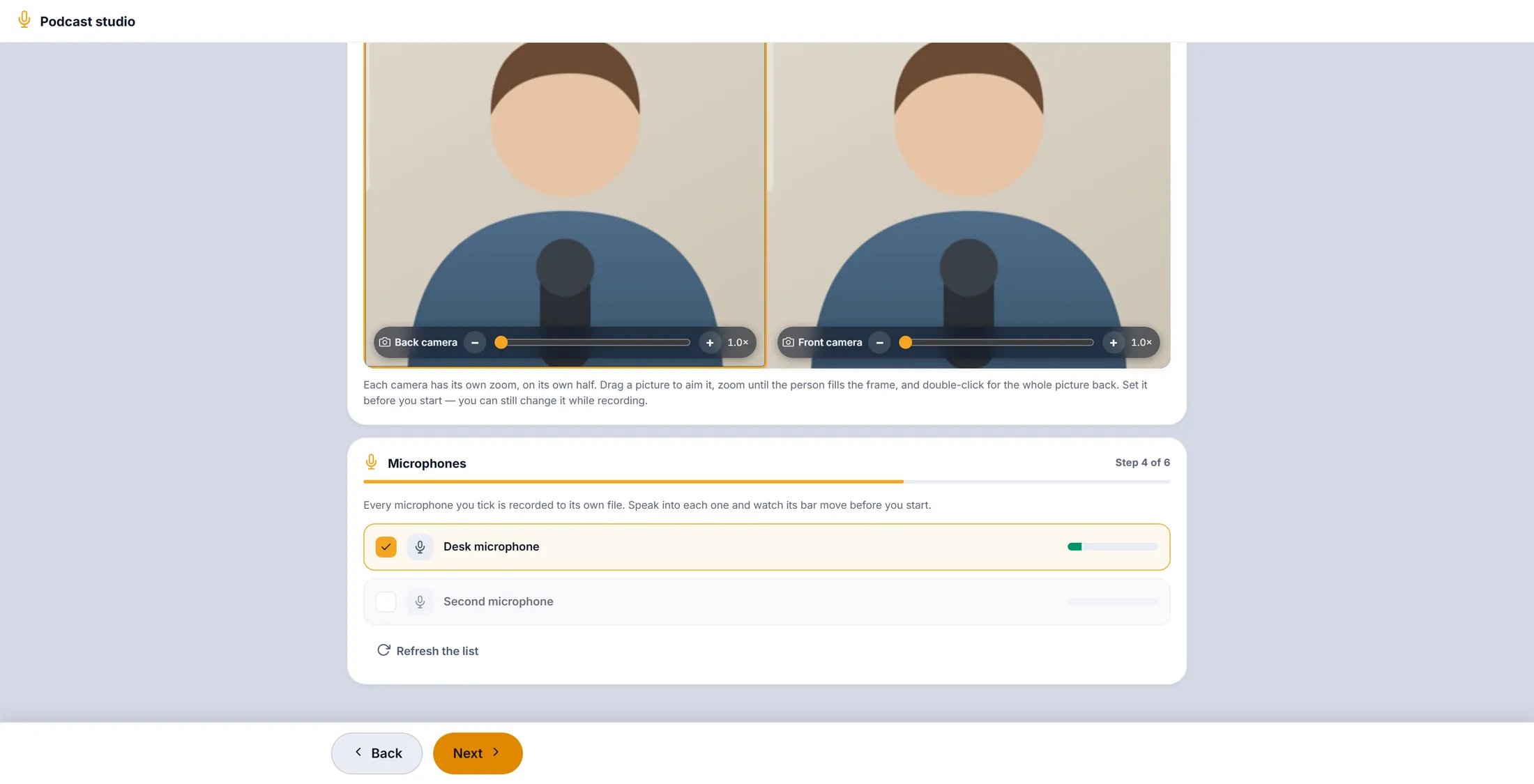
The green bar means it hears you. Choose the quality
Standard is fine for talking. Studio is for music or a big edit.
- Standard : good for speech, about 1 MB a minute per microphone.
- Studio : the sound exactly as the microphone heard it, about 8 MB a minute per microphone.
- Press Next.
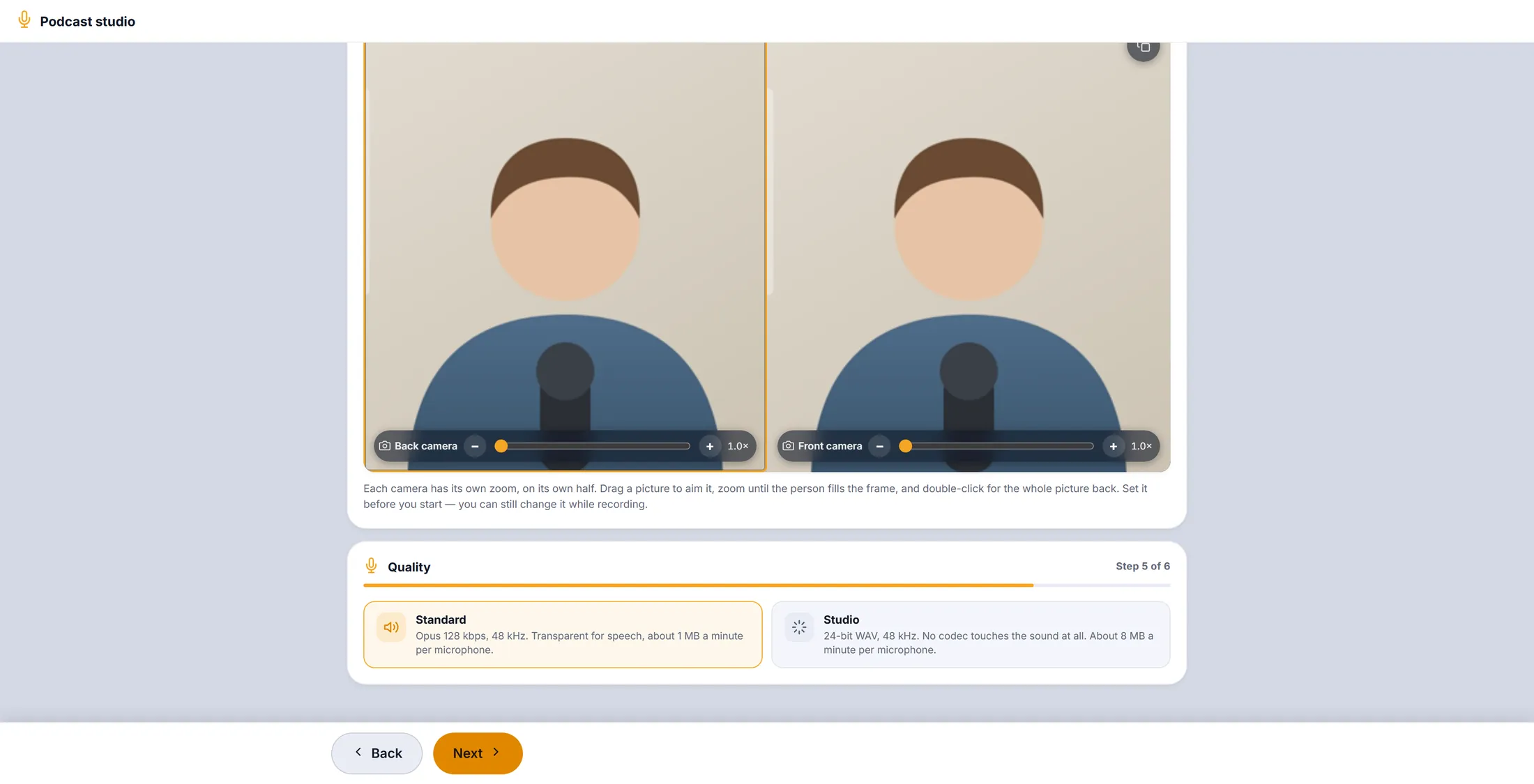
Standard is the right choice most of the time. Check, and start
Read back what you chose. Press the red button.
- Read the list: Journey , Name , Microphones , Sound or film , Quality .
- Something wrong? Press Back.
- All good? Press Start recording. The clock starts.
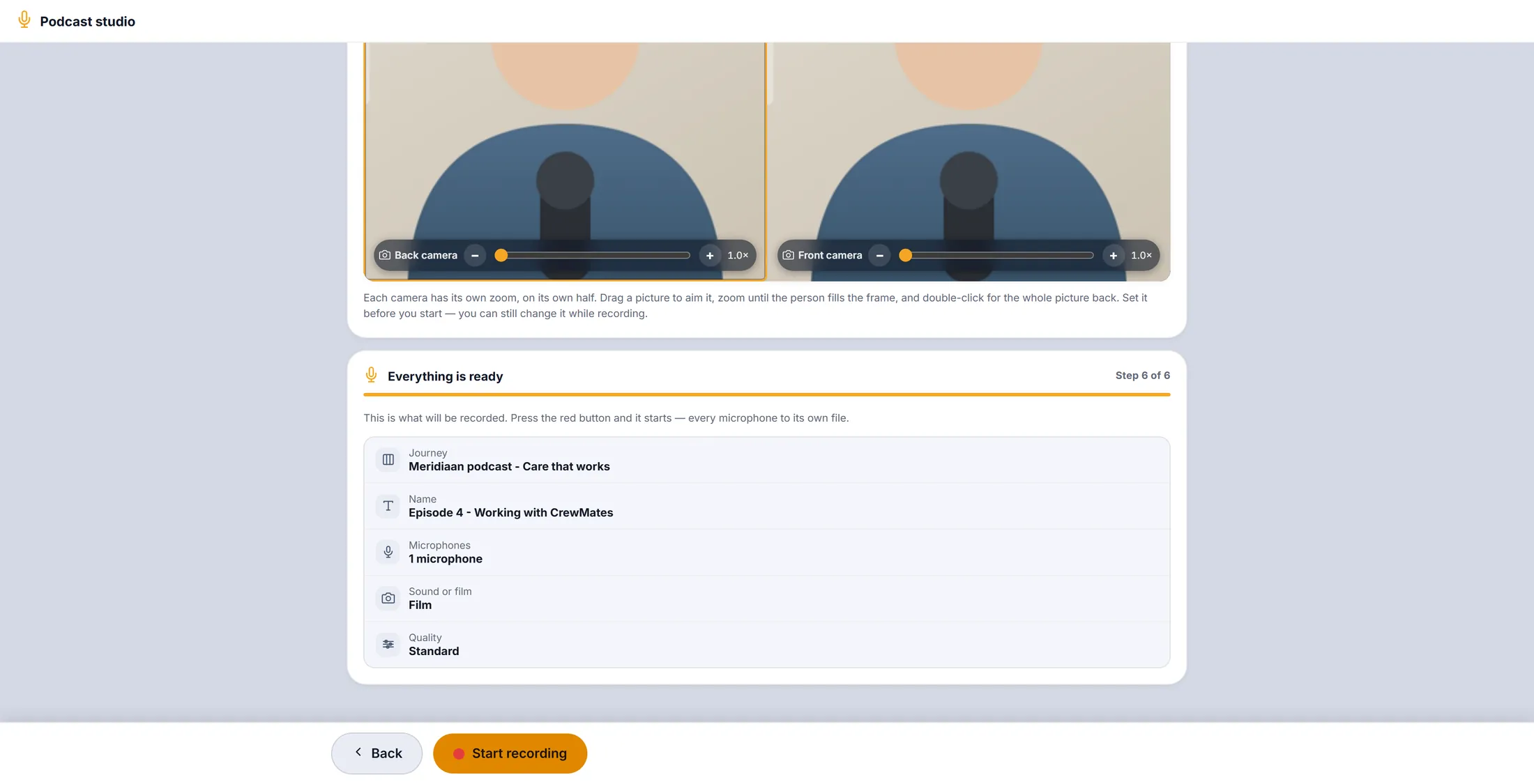
One look, then the red button. You are recording
Just talk. The studio saves as it goes.
- Next to Recording the clock runs.
- Each microphone and camera has its own row. Everything together is one mix of all of them, Film the combined picture.
- Top right: in storage counts what is already saved, still to upload what is on its way.
- You can still zoom and aim the cameras while you record.
Red dot, clock running: it records. Add someone who is far away
Send a link. The guest records on their own phone, in good quality.
- Scroll down to Record someone who is not here .
- Press Copy the link and send it to your guest, for example in a chat.
- The guest opens it on their phone and records. Their voice arrives as its own track in this recording.
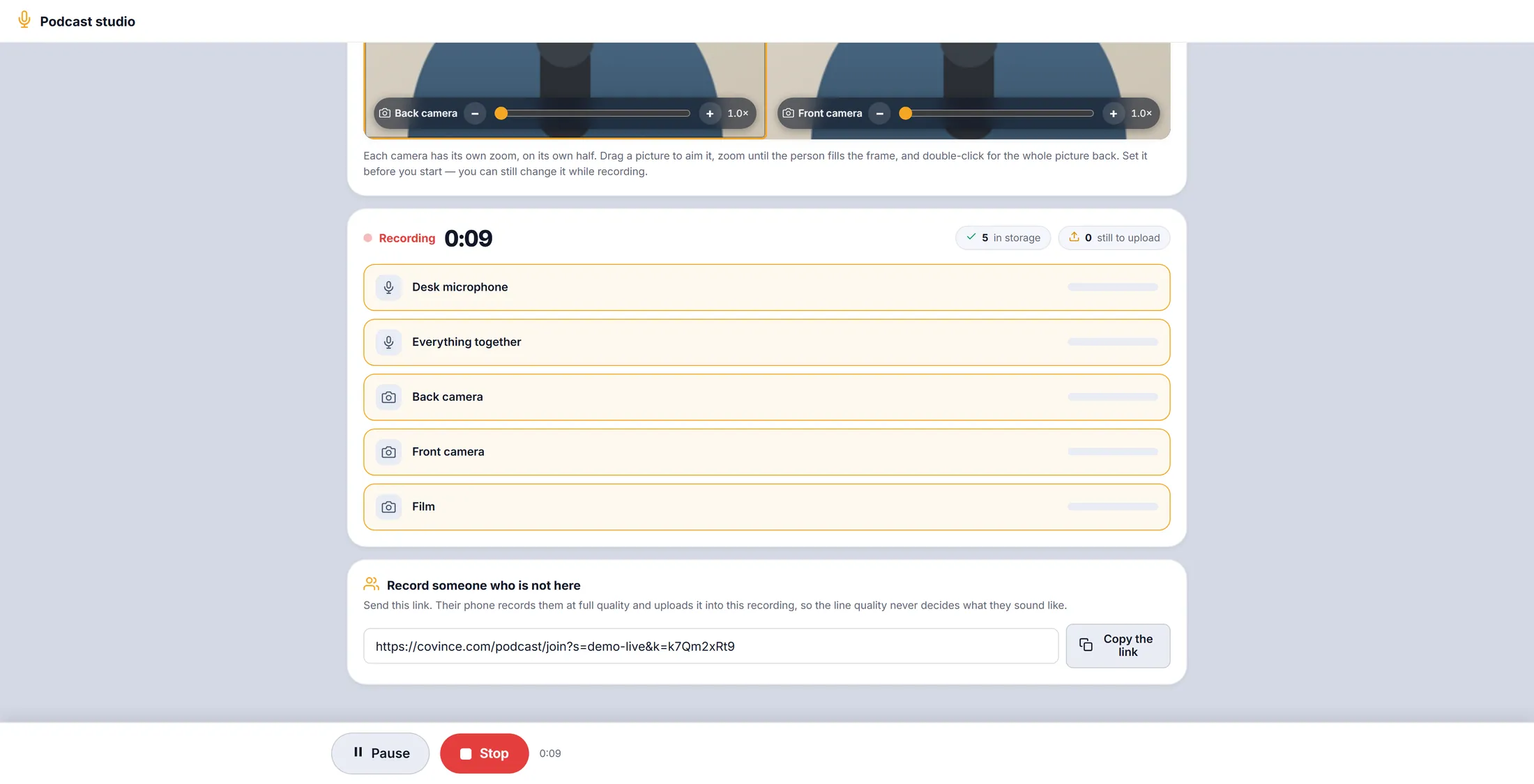
The link for your guest. Pause, and stop
Pause for a break. Stop when you are done.
- Press Pause. It says Paused — nothing is being recorded. The button now says Continue.
- Press Continue to go on.
- Done? Press Stop. The studio finishes every track and saves it.
- The recording is now in Earlier recordings , in your journey.
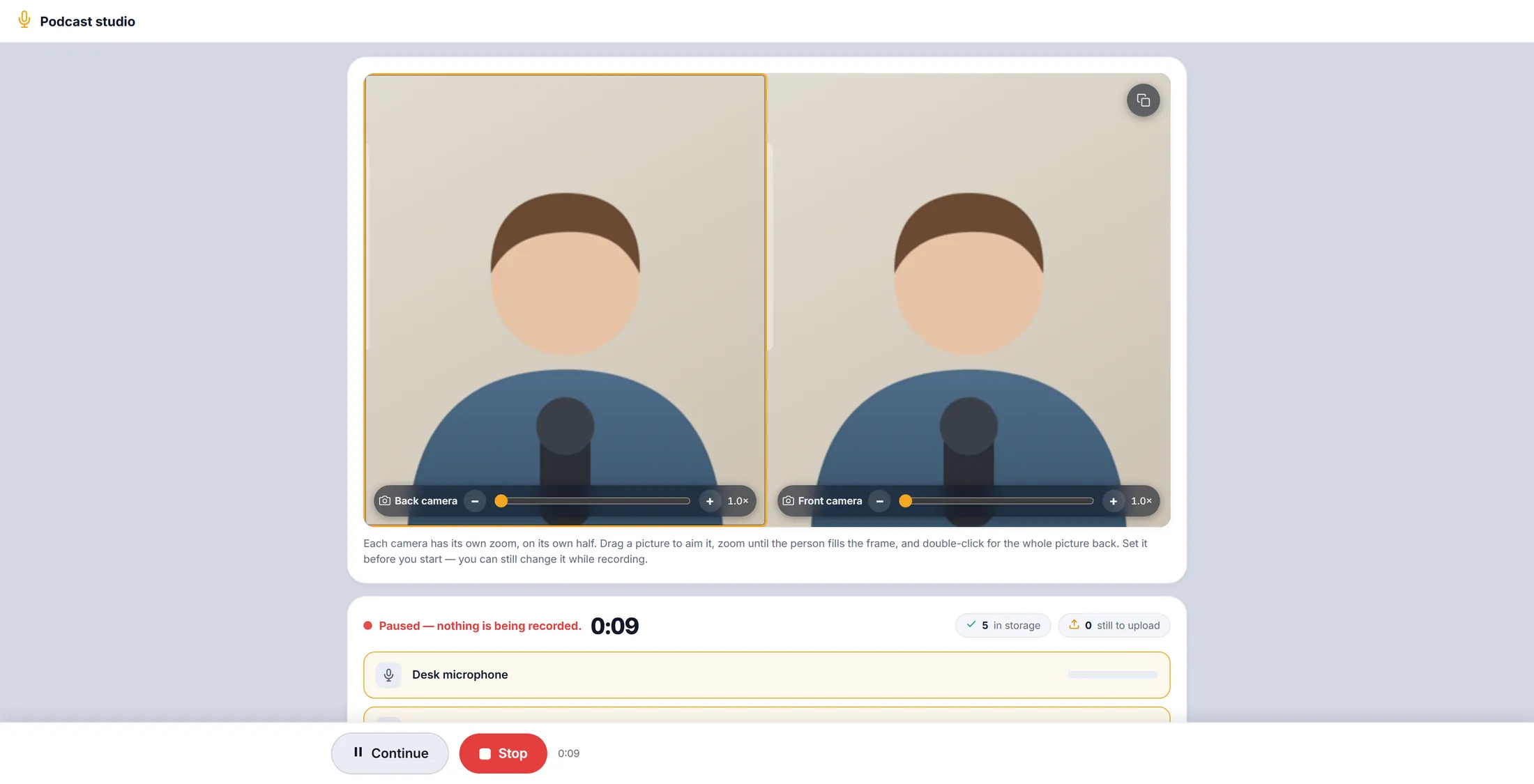
Paused. Nothing is recorded now. Find a recording back
Every recording of your journey is in one list. Search by what was said.
- Type in Search recordings by title or by what was said , for example handover .
- Only the recordings that match stay. The cross clears the search.
- Press the play button on a track to listen to it here.
- Press Download to keep a track on your computer - for example to edit it in a sound program.
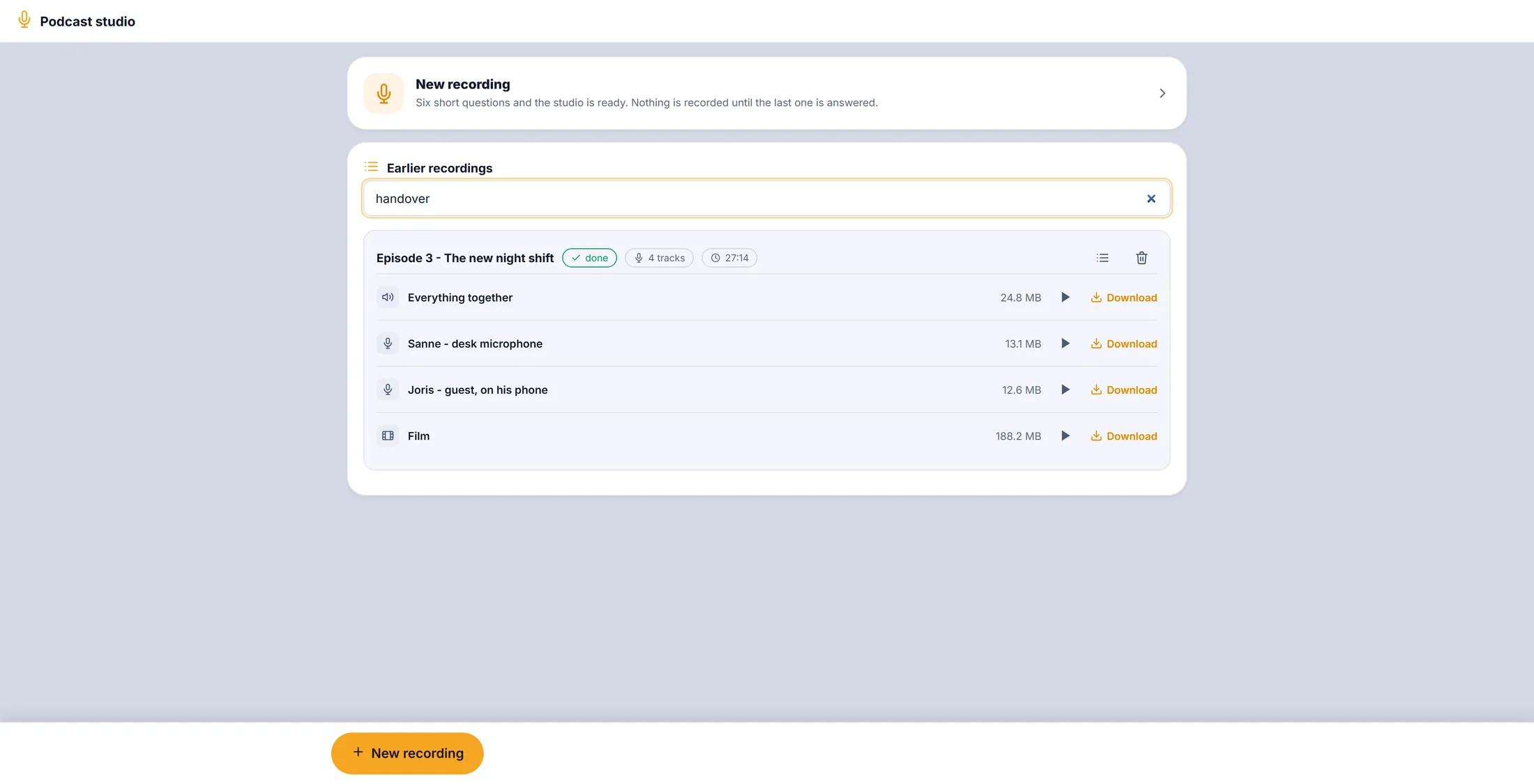
It found the episode where "handover" was said. Read what was said
Every sentence has its time. Click one and it plays from there.
- Press the list icon next to a recording's title.
- A player opens, with Search in this recording and every sentence with its time.
- Click a sentence: the recording plays from there.
- Type in Search in this recording to find one moment.
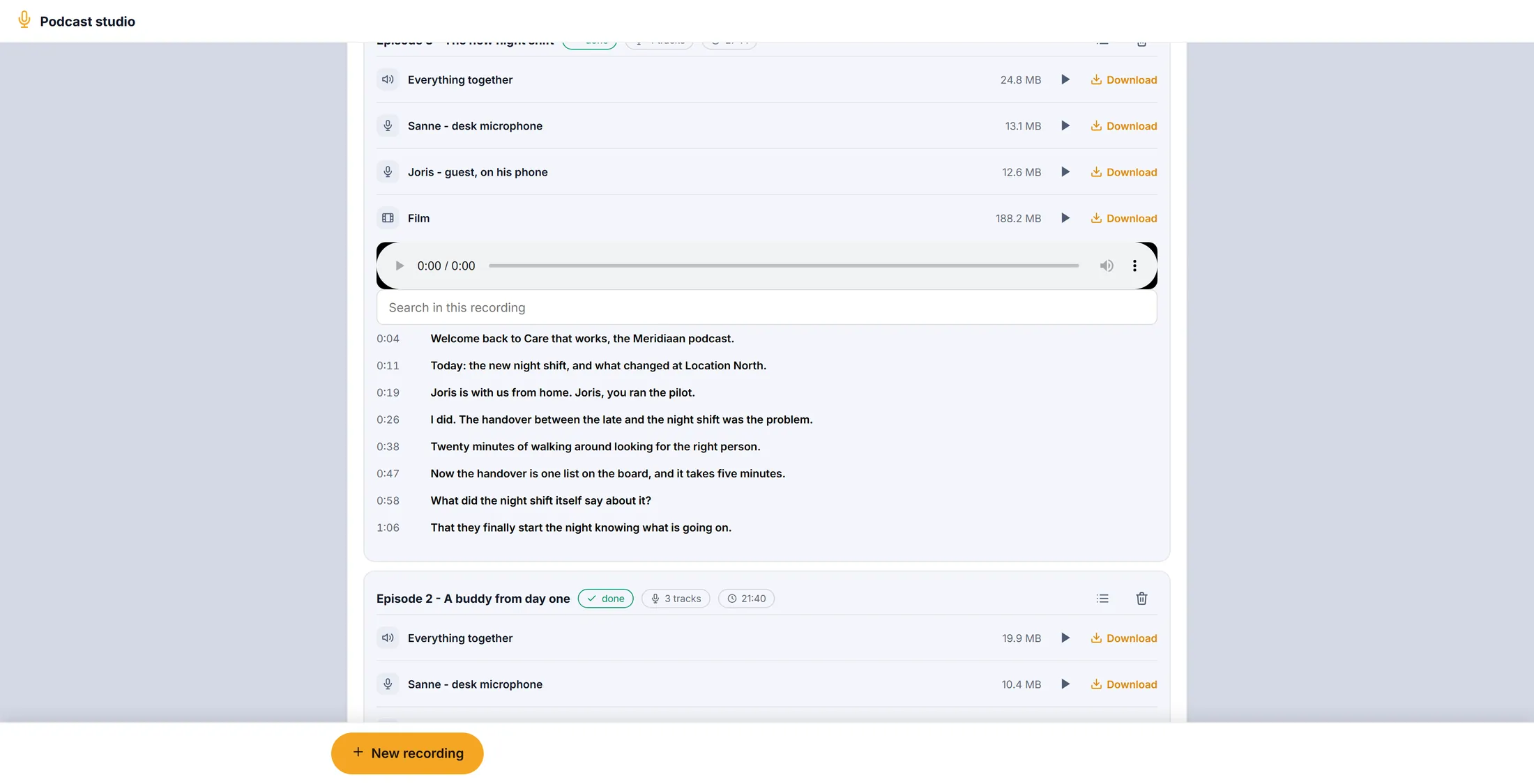
What was said, with the time. Let CoVince write it out (uses credits)
No text yet? One button writes it out. It uses credits.
- Open a recording that says Nothing written out yet.
- Press Write out what was said. This uses credits, so press it only when you want the text. After a short wait every sentence appears, with its time.
- The bin next to the title removes a recording. It asks first.
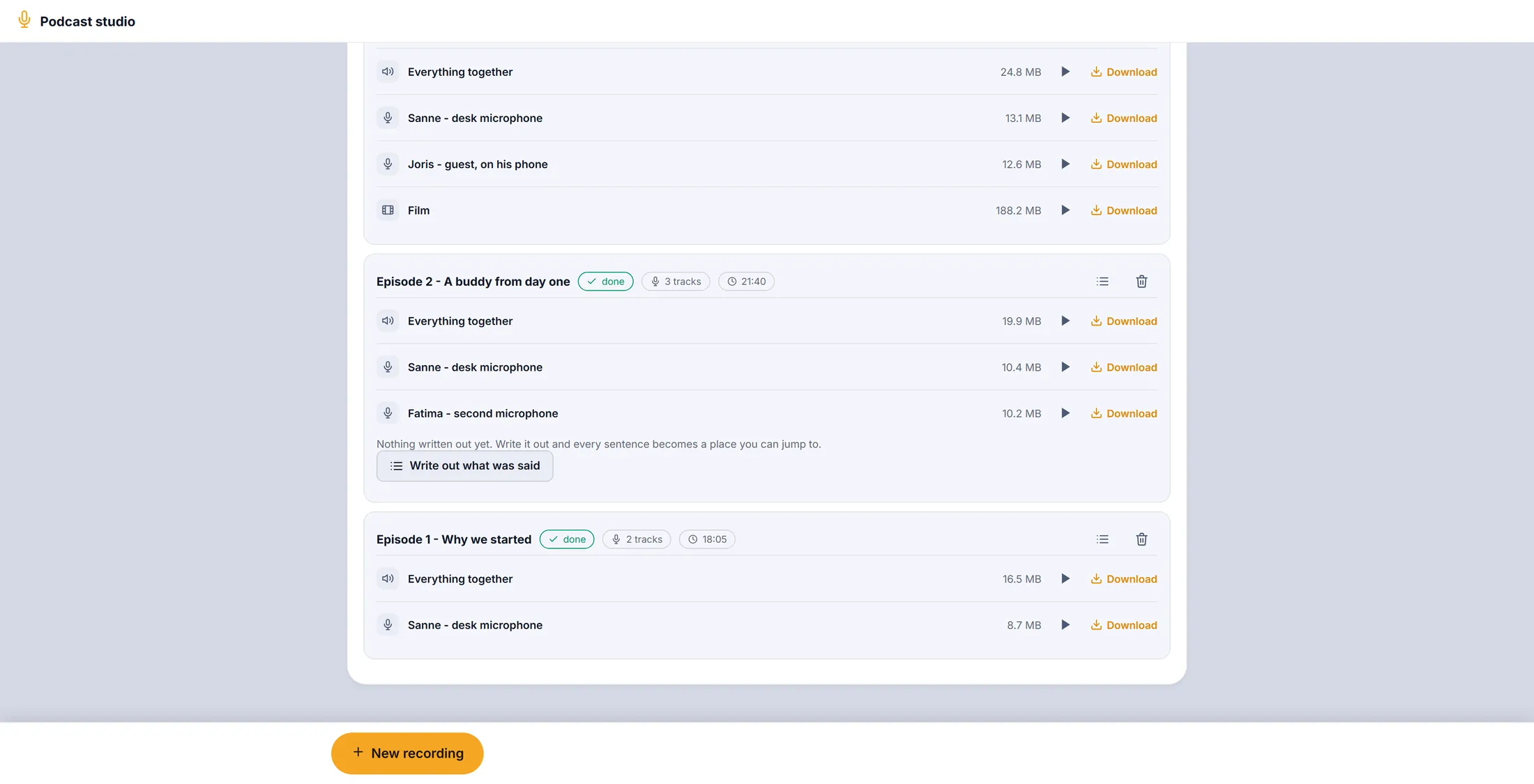
One press writes it all out.
If something is not right
It says "nothing coming in".
Check the plug and the volume. Then press Refresh the list.
The browser asks about the microphone.
Press Allow. Without it the studio hears nothing.
My laptop went off while recording.
Most of it is already saved. Open the studio again.
I cannot find the studio.
Use Open the studio on this page.
The words, in plain language
- track
- One file with one microphone or one camera in it.
- mix
- All the microphones together in one file: Everything together.
- transcript
- What was said, written down, with the time of every sentence.
Where to go next
- Let CoVince take the notes Record a meeting and get its report.
- All explainers The other things you can learn here.